2026-07-07
Zoom Video Chat for Remote Teams: Build the Workflow Around the Call
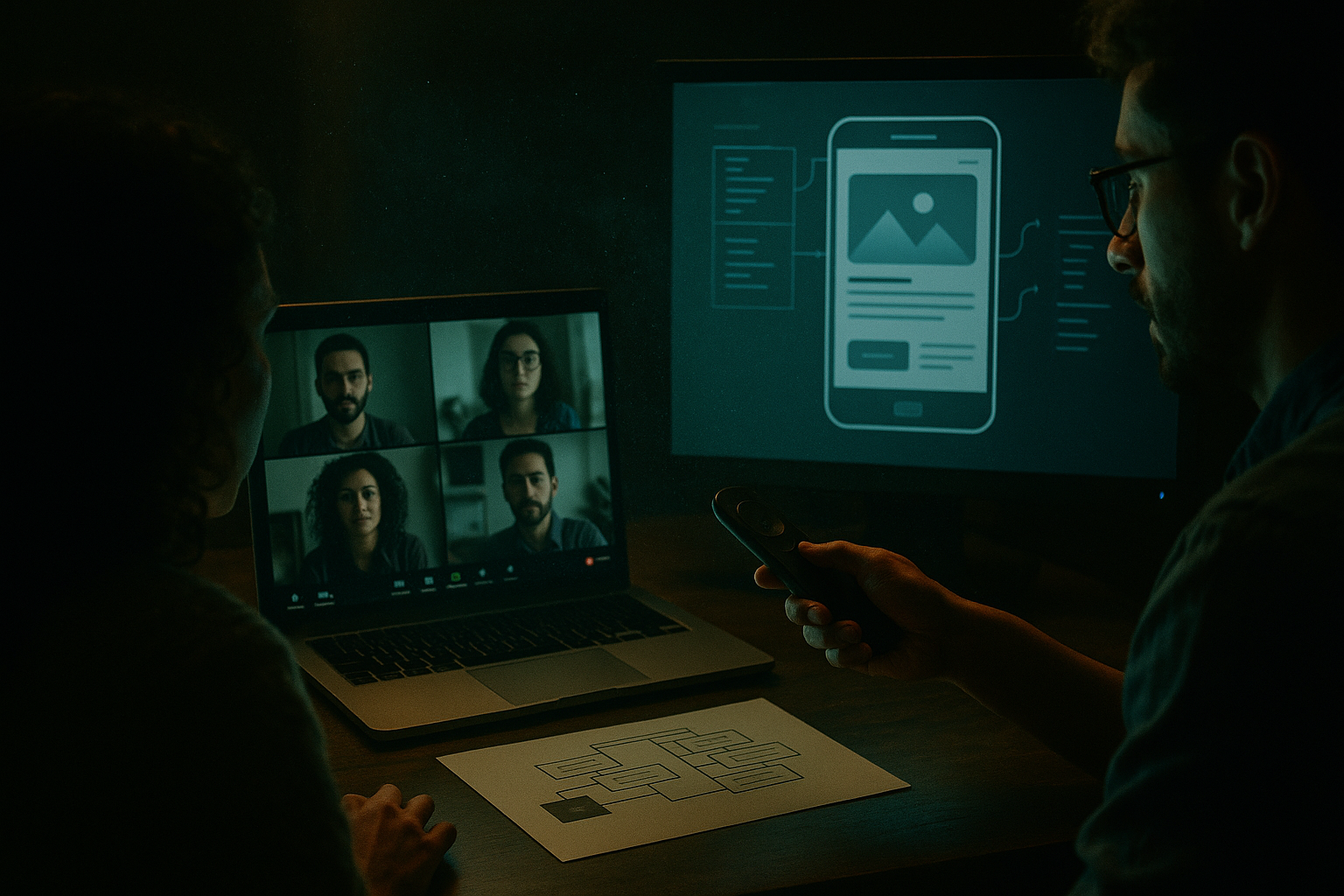
Zoom video chat solves one visible problem: people can talk face to face without being in the same room. That is useful. It is also where many remote teams stop designing the system.
The pain shows up later. A design review turns into a 70-minute debate because nobody can drive the prototype. A developer pairing session stalls because screen sharing is passive. A support escalation gets discussed live, then disappears into chat history with no owner.
Teams think the problem is call quality. The real problem is collaboration state.
Zoom video chat is a communication surface. The work still needs artifacts, control, permissions, notes, decisions, follow-up, and a way to move from conversation into execution. That changes the conversation. The practical question is not whether your team should use video meetings. The practical question is how video fits into the operating system of a remote team in 2026.
Table of contents
- Zoom video chat is not the remote work system
- The zoom video chat architecture remote teams actually need
- Use the right collaboration mode for the job
- Design reviews need artifacts, not longer meetings
- Engineering pairing needs control, latency, and trust
- Operational workflows around zoom video chat
- What breaks when teams implement video chat badly
- Metrics that matter for remote collaboration
- Where PairUX fits beside zoom video chat
- Closing: make zoom video chat part of the workflow
Zoom video chat is not the remote work system
Where calls help
Zoom video chat is good at presence. It gives people tone, timing, facial reaction, and a fast way to resolve ambiguity. That matters when a product manager needs to explain a tradeoff, a designer needs to walk through intent, or an engineer needs to ask a question that would take too long to type.
The mistake teams make is treating that presence layer as the whole collaboration layer. A call can create shared attention, but it does not automatically create shared control. It can create alignment, but it does not automatically create a durable decision. It can make people feel synchronized, but it does not automatically update the roadmap, ticket, pull request, prototype, or customer record.
A useful way to think about it is simple: the call is the room. The workflow is the building.
Practical rule: Use Zoom video chat for high-bandwidth conversation, not as the default place where work lives.
Where calls stop helping
What breaks in practice is the transition from talking to doing. Someone says, can you click that? Someone else narrates where to go. The host shares a tab, then switches to another app, then loses the thread. A participant asks for control, but the control layer is slow, inconsistent, or too broad for the task.
This is why many teams feel like they are in meetings all day while still moving slowly. They are using video to compensate for missing workflow design. More calls become the patch for unclear ownership, weak documentation, and collaboration tools that do not let multiple people operate in the same context.
If your team uses Zoom video chat heavily, you do not need a debate about remote work philosophy. You need a map of where the call starts, what the call is allowed to solve, and where the result lands after the call ends. We covered a broader version of this operating model in Zoom Video Chat for Remote Teams, but this guide goes deeper on architecture and implementation.
The zoom video chat architecture remote teams actually need
Separate presence, control, and record
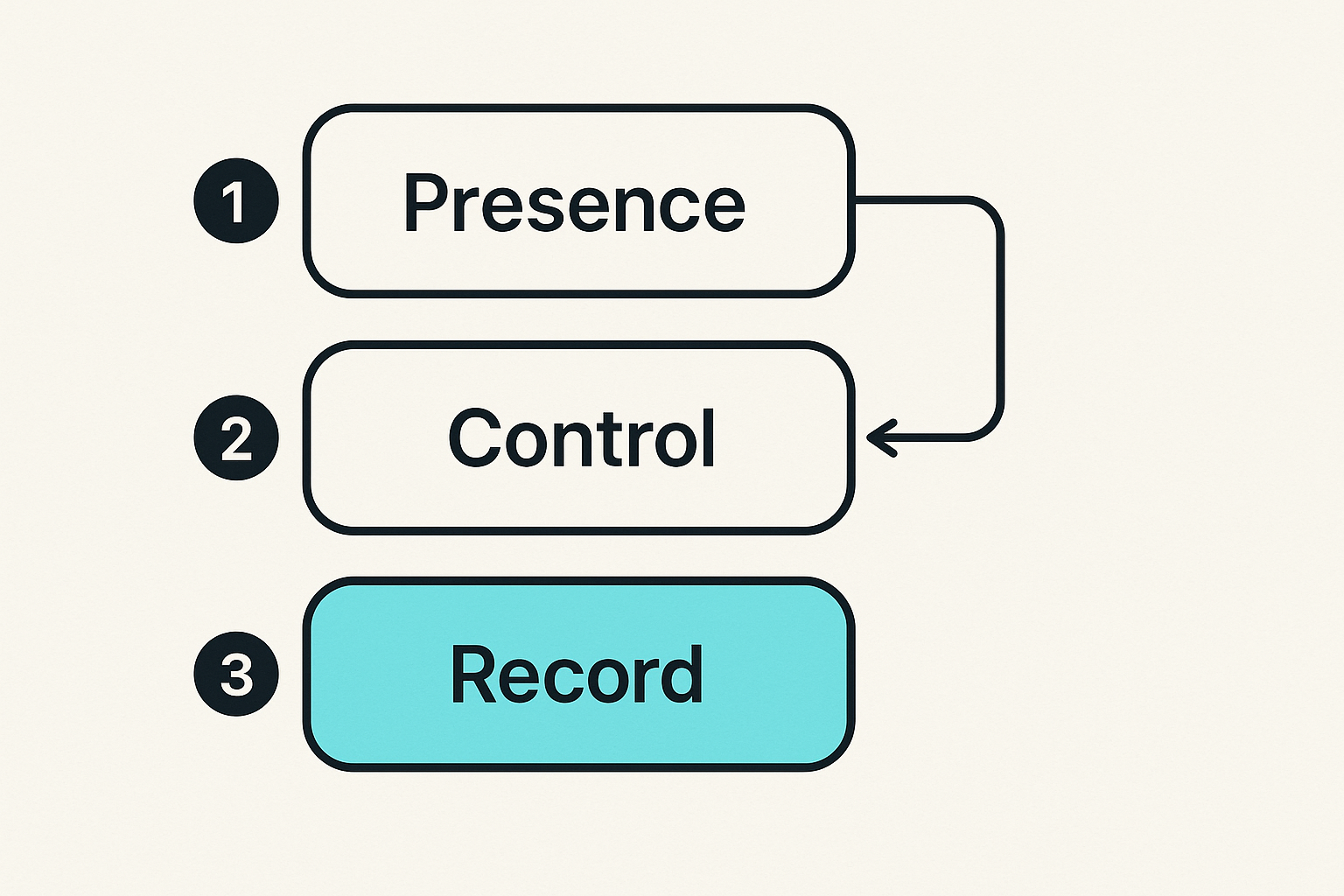
The practical architecture has three layers: presence, control, and record.
Presence is the live conversation. Zoom video chat is strong here. People can talk, react, clarify, and decide whether a problem needs deeper work.
Control is the ability to manipulate the shared environment. That might mean taking over a prototype, editing a document, navigating a local app, driving a browser, or pairing inside a development workflow. This is where passive screen sharing often fails. Watching someone else operate is not the same as collaborating.
Record is the durable outcome. The record may be a ticket, a decision log, a pull request comment, a design annotation, a customer support note, or a short Loom-style recap. If the record is missing, the meeting becomes tribal memory.
These layers can live in different tools. That is fine. The problem is when nobody owns the boundaries.
Define the handoff between tools
Remote teams need explicit handoffs. A design review might start in Zoom video chat, move into shared control for prototype navigation, and end with decisions written into the design file and project tracker. A developer pairing session might start with a quick call, shift into remote control for debugging, and end with a commit, branch note, or pull request summary.
Do not leave this to meeting etiquette. Put the handoff into the workflow.
A simple state model helps:
session_state:
  intent: review | pair | support | decision
  live_channel: zoom_video_chat
  control_channel: shared_screen_or_remote_control
  artifact: ticket | pr | design | customer_case
  owner: named_person
  outcome_required: decision | change | escalation | no_action
This looks basic, but it prevents the most common failure: a successful conversation with no operational result.
Practical rule: Every live collaboration session should have a target artifact before it starts and an owner before it ends.
Use the right collaboration mode for the job
Meeting, pairing, review, and support modes
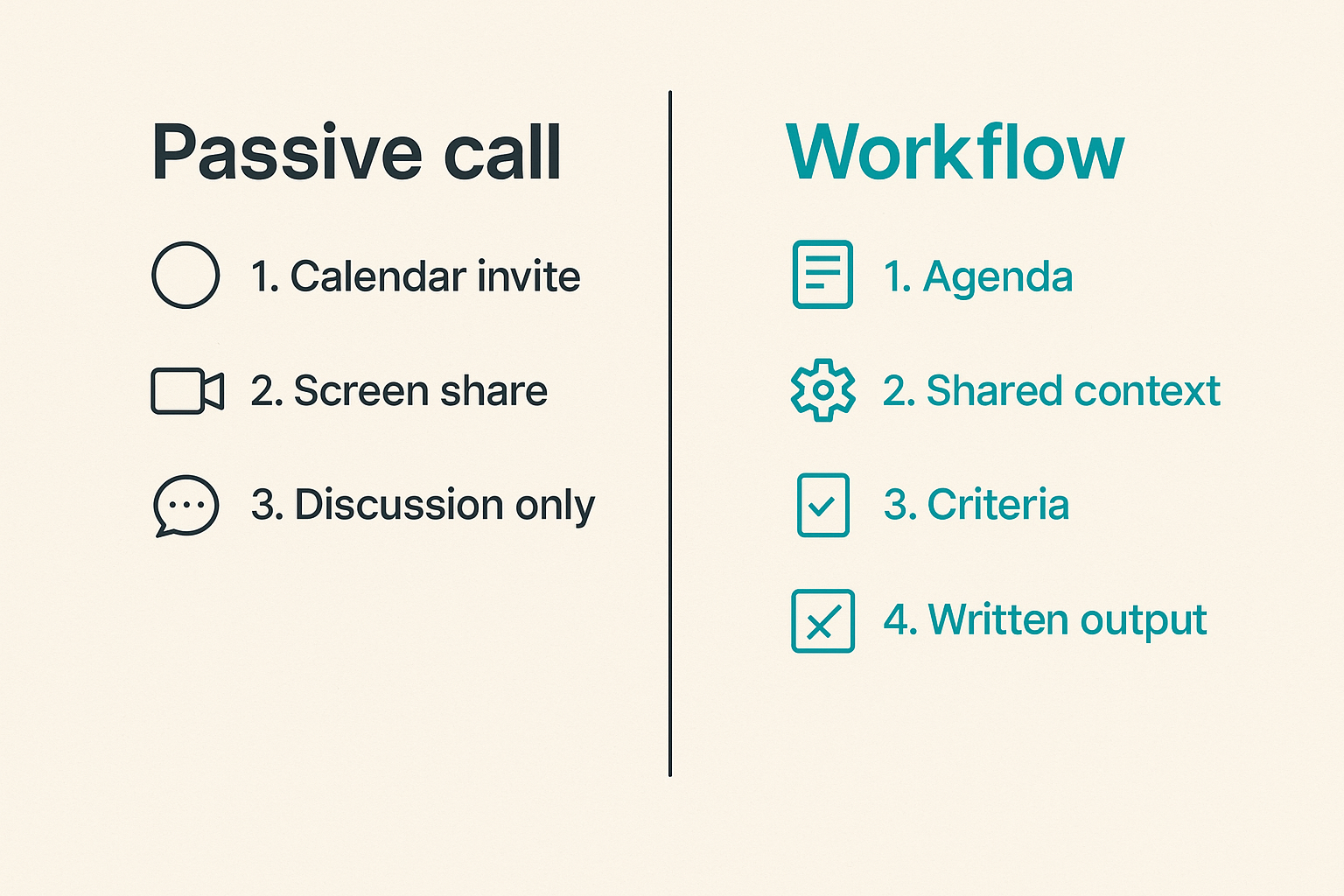
Not every video call is the same workflow. Remote teams get into trouble when every session uses the same default shape: calendar invite, Zoom link, screen share, loose discussion, vague next steps.
There are at least four common modes.
A meeting is for alignment. It needs an agenda, a decision owner, and a written output.
A pairing session is for shared execution. It needs control, low friction, and a way for both people to interact with the same working context.
A review is for evaluating an artifact. It needs prepared screens, criteria, comments, and a decision trail.
A support session is for diagnosing a specific user or customer problem. It needs permission boundaries, notes, escalation paths, and often a sanitized environment.
The toolchain around Zoom video chat should change based on the mode. If it does not, the team will keep using conversation to cover gaps in workflow.
Comparison table for operators
| Collaboration mode | Best use of Zoom video chat | What else is required | Common failure |
|---|---|---|---|
| Team meeting | Context, discussion, decision framing | Agenda, owner, decision log | Meeting ends with no artifact |
| Design review | Walkthrough and critique | Prototype access, annotations, acceptance criteria | People debate from memory |
| Engineering pairing | Voice channel while debugging or building | Remote control, editor access rules, branch discipline | One person drives while others watch |
| Support escalation | Live diagnosis and customer context | Case notes, permissions, handoff path | Sensitive data shown too broadly |
| Founder/operator review | Fast judgment on priorities | Metrics, open tasks, written tradeoffs | Call becomes status theater |
The table is not about tool preference. It is about matching the collaboration mode to the operational requirement. Related reading from our network: teams evaluating product patterns face a similar problem when they treat examples as inspiration instead of workflow inputs, which is covered well in Product Examples Are Not Inspiration.
Practical rule: If the mode changes, the tooling and output should change with it.
Design reviews need artifacts, not longer meetings
Prepare the screen before the call
Design reviews are where Zoom video chat can be either useful or expensive. The difference is preparation.
A bad review starts with someone opening files live, searching for the right frame, explaining what changed, then asking for reactions. That burns the first ten minutes and pushes the group into opinion mode.
A better review starts with the artifact already staged. The designer has the relevant screens open. The prototype path is known. The review criteria are visible. The team knows whether they are evaluating UX flow, visual polish, edge cases, copy, accessibility, or implementation risk.
The screen is not just something to share. It is the workspace. If the workspace is messy, the conversation becomes messy.
For product designers and startup operators, the most useful habit is to decide what kind of feedback is allowed. Are you asking for approval, risk discovery, implementation feedback, or open critique? Each requires a different meeting shape.
Capture decisions while context is fresh
A design call without captured decisions creates downstream confusion. Engineers ask whether the empty state was approved. Product asks why a variant disappeared. Support asks whether the new flow handles a known customer case. Everyone remembers the call differently.
Capture the decision inside the artifact or immediately next to it. If the team uses Figma, write comments on the frame. If the team uses Linear or Jira, summarize the outcome in the ticket. If the decision affects scope, update the roadmap item while the group is still aligned.
The mistake teams make is relying on the recording. Recordings are useful for replay, but they are poor operational records. Nobody wants to scrub a 48-minute video to find the decision about a button label.
A good design review output looks like this:
- Decision made
- Screens affected
- Open risks
- Owner for changes
- Deadline or next review point
That is enough to keep the work moving.
Engineering pairing needs control, latency, and trust
Remote control changes the session
Engineering pairing exposes the limits of passive video. Watching someone debug a race condition over screen share is often slower than doing the work together. The moment both people can control the environment, the session changes from narration to collaboration.
Remote control is not a small feature. It changes the trust model. It also changes the speed of the session. A senior engineer can quickly inspect a local service, a developer can reproduce a bug while another edits config, and a founder can review an admin flow without waiting for someone to click every element by instruction.
This is where collaborative screen sharing tools matter. The call gives voice. The shared control layer gives action. If the control layer is laggy, insecure, or hard to start, people fall back to verbal steering. That is the worst of both worlds: synchronous time with asynchronous speed.
Pairing needs a narrow path from conversation to manipulation.
Guardrails for developer machines
Developer machines are sensitive environments. They may contain tokens, customer data, local databases, SSH sessions, production dashboards, and private repositories. Remote control should be useful without being careless.
At minimum, teams should define:
- Who can request control
- Who can grant control
- Whether control is session-scoped or persistent
- Which applications should be closed before sharing
- How secrets are hidden or rotated
- Whether production access is allowed during pairing
For teams formalizing setup rules, PairUX keeps practical installation and security guidance in the PairUX docs. Related reading from our network: privacy-heavy teams will recognize the same boundary problem in End-to-End Encrypted Messaging in 2026, where the chat UI is only one part of the security model.
Practical rule: Treat remote control as temporary delegated access, not as a casual screen share feature.
Operational workflows around zoom video chat
Before, during, and after the call
The reliable workflow is boring, which is why it works.
Before the call, define intent. Is this session for a decision, a fix, a review, or an escalation? Attach the artifact. Name the owner. Make sure the right people are present and the wrong people are not.
During the call, keep the session tied to the artifact. Do not let the conversation drift into general status unless that is the explicit goal. Use screen sharing for shared attention and remote control when the work requires direct manipulation.
After the call, update the system of record. That may be a ticket, pull request, design file, support case, or decision log. If the outcome is not written somewhere durable, assume it will be lost.
Teams in finance, tax, and operations run into the same shape of problem: the interface is not the workflow, the record is. Related reading from our network: turbotax software in 2026 frames this well for small business process ownership.
A repeatable implementation sequence
Use this sequence if your team is trying to clean up remote collaboration without creating a policy document nobody reads.
- List the five most common live collaboration sessions your team runs.
- Label each one as meeting, pairing, review, support, or escalation.
- Define the required artifact for each session type.
- Define when Zoom video chat is enough and when shared control is required.
- Create a short pre-call template with intent, artifact, owner, and expected outcome.
- Create a post-call template with decision, owner, deadline, and link to the artifact.
- Review two weeks of sessions and identify where outcomes were missing.
- Remove recurring calls that do not produce decisions, changes, or useful context.
This does not require a large rollout. Start with one product squad or one engineering pod. The goal is to make the workflow visible enough that bad meetings become obvious.
What breaks when teams implement video chat badly
The meeting becomes the database
The most common failure mode is using meetings as storage. Decisions live in recordings. Requirements live in someone’s memory. Customer context lives in a call transcript. Engineering constraints live in a Slack thread after the meeting.
This creates two costs. First, new people cannot catch up without asking around. Second, the same decision gets reopened because nobody can find the original rationale.
Zoom video chat can make this worse because the live conversation feels productive. People leave with the impression that alignment happened. Sometimes it did. But alignment that is not written into the work system decays quickly.
The fix is not more recordings or longer summaries. The fix is to update the artifact closest to the work. Design decisions go in design context. Engineering decisions go in the issue or pull request. Customer decisions go in the account or support record.
If the call is the only place the truth exists, the truth is fragile.
Access and security drift
The second failure mode is access drift. Remote teams add guests to calls, share screens broadly, grant control casually, and forget that the call may include contractors, customers, investors, or people from different internal functions.
This is usually not malicious. It is operational sloppiness. A dashboard tab is left open. A terminal shows an environment variable. A customer record appears during a support walkthrough. A contractor is invited to a recurring meeting and remains there after the project ends.
Video collaboration needs permission hygiene. Meeting access, screen content, remote control, recordings, transcripts, and artifact permissions should be treated as related surfaces. If they are managed separately with no owner, mistakes slip through.
A good practice is to use a pre-share sweep: close unrelated tabs, hide notifications, move secrets out of view, and confirm who is in the session before sharing or granting control. It sounds basic because it is. Basic controls prevent many avoidable incidents.
Metrics that matter for remote collaboration
Measure handoffs, not attendance
Many teams measure meetings the wrong way. Attendance, duration, and number of calls tell you very little. A team can have fewer meetings and worse collaboration. It can also have more live sessions because pairing is working well.
Better metrics focus on handoffs and outcomes.
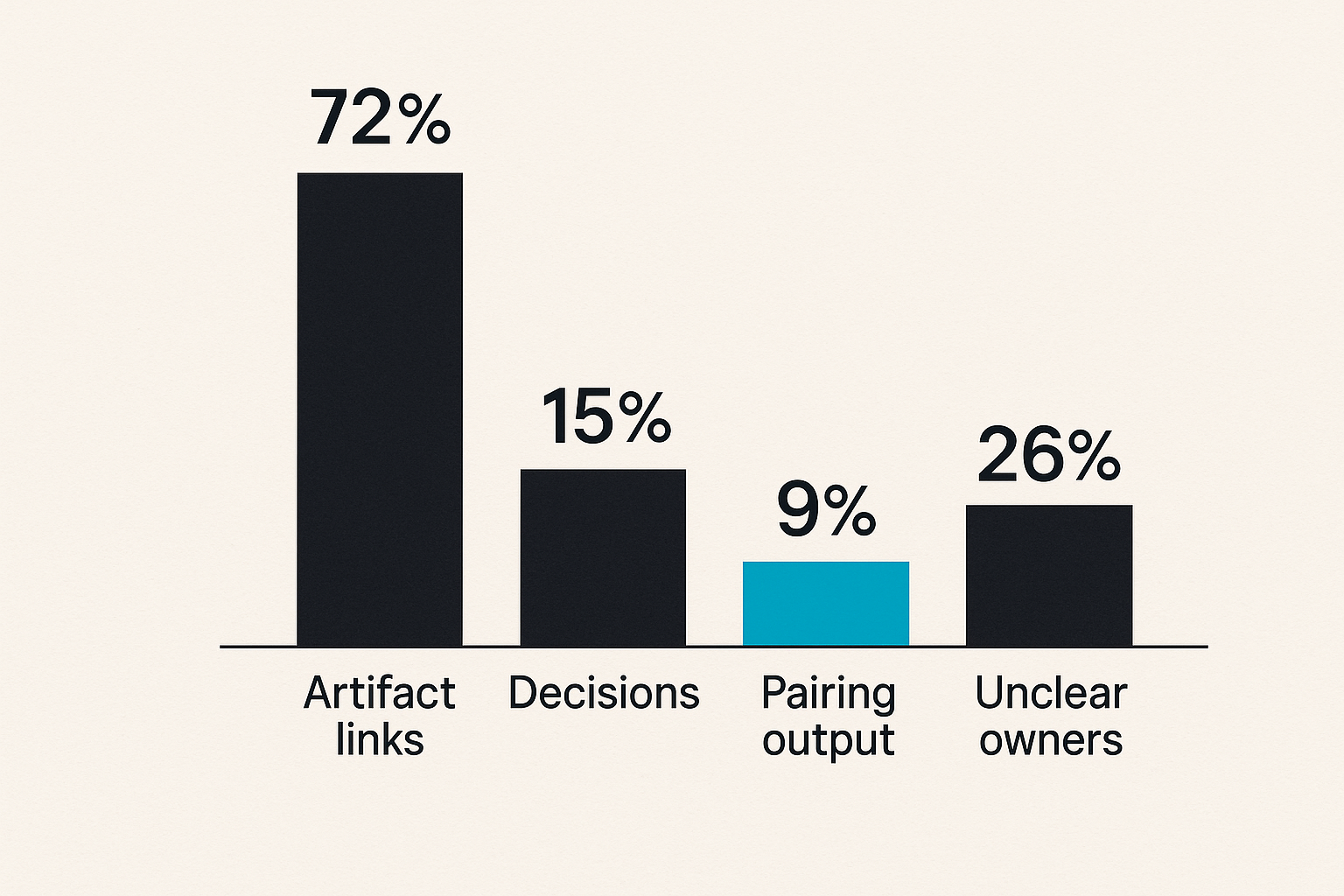
Look at how often a meeting produces a decision. Look at how often a pairing session produces a commit, fix, reproduced bug, or documented next step. Look at how many design reviews end with unresolved ambiguity. Look at how many support escalations need a second live session because the first one did not capture enough context.
The practical question is: did the session reduce uncertainty or move work forward?
If the answer is no, the issue may not be Zoom video chat. The issue may be that the team is using a live call where an artifact-first workflow would work better.
Signals to review monthly
A monthly review is enough for most startup teams. Do not turn collaboration into bureaucracy. Pick a few signals and inspect them honestly.
Useful signals include:
- Calls with no linked artifact
- Recurring meetings with no decision log
- Pairing sessions where only one person acted
- Design reviews that reopened the same issue
- Support calls that required repeated context gathering
- Sessions where access or screen sharing felt risky
- Work that stalled after a call because ownership was unclear
The point is not to punish meetings. The point is to identify where the workflow is leaking. Once you see the pattern, the fix is usually small: add a template, change the tool boundary, require an owner, or move a recurring call into asynchronous review.
What works is measurement close to the work. What fails is generic productivity scoring.
Where PairUX fits beside zoom video chat
Use video for conversation and shared control for work
PairUX is not a replacement for every Zoom video chat use case. That is the wrong framing. A useful remote stack separates the conversation layer from the shared work layer.
Use Zoom video chat when you need voice, faces, group discussion, and quick alignment. Use PairUX when the session requires collaborative screen sharing, remote control, multi-cursor work, or a tighter loop between seeing and doing. The fit is strongest when passive screen sharing is slowing the team down.
Examples:
- A designer wants a product manager to drive a prototype instead of narrating clicks.
- Two developers need to inspect a local bug together.
- A founder wants to review an onboarding flow and make changes live.
- A support engineer needs controlled collaboration with a teammate during escalation.
The PairUX features page is the best place to map those capabilities to your own collaboration modes.
Product fit checklist
PairUX is a good fit when your team regularly says things like: can you click that, let me drive, scroll back up, open the other tab, or I wish I could just show you.
Use this checklist:
- Your team does live product or design reviews.
- Engineers pair on bugs, local environments, or release issues.
- Screen sharing is common but too passive.
- Remote control is useful but needs clearer boundaries.
- You want collaboration to happen in the working context, not just around it.
- You already use Zoom video chat but need a better action layer beside it.
This is the architecture point: keep the tool that is good at conversation, then add the tool that is good at shared operation. Replacing everything with one giant meeting platform is usually not the answer.
Closing: make zoom video chat part of the workflow
What works
Zoom video chat works best when teams treat it as one component in a remote collaboration workflow. It creates presence. It helps people resolve ambiguity. It gives teams a fast path to discussion when text is too slow.
But the call needs a job. The session needs an artifact. The artifact needs an owner. The owner needs to update the system of record. When those pieces are present, video becomes useful instead of noisy.
The strongest remote teams are not the ones with the most meetings or the fewest meetings. They are the teams that know which problems deserve live collaboration and which ones need better written context.
What fails
What fails is using Zoom video chat as a dumping ground for every unclear workflow. More calls will not fix missing ownership. Better cameras will not fix weak artifacts. Recordings will not fix decisions that never land in the work system. Passive screen sharing will not fix sessions where people need shared control.
The mistake teams make is optimizing the meeting instead of designing the handoff. Build the handoff, and Zoom video chat becomes much more valuable.
Try pairux.com
PairUX helps remote teams with practical collaborative screen sharing, remote control, and working together online. If your Zoom video chat workflow needs a stronger shared-control layer, Try pairux.com.