2026-08-12
Garage Door Opener Remote Thinking for Safer Remote Team Control

A garage door opener remote is boring until it fails. Then the whole workflow stops: the door will not open, the wrong person has access, or nobody knows which remote still works.
Remote teams have the same problem with screen sharing and remote control. The button looks simple. Click, request control, approve, move the cursor. But the real work is not the button. The real work is ownership, permissions, context, handoff, recovery, and trust.
Teams think the problem is remote control software. The real problem is collaborative control architecture.
That changes the conversation. If you are a product designer, software developer, startup operator, or support lead, the practical question is not whether someone can take control of a screen. The practical question is whether your team can safely share control without creating confusion, risk, or wasted time.
Table of contents
- Why a garage door opener remote is the right collaboration model
- The hidden workflow behind remote control
- Garage door opener remote rules for remote control sessions
- What breaks when teams share control badly
- A practical architecture for collaborative screen sharing
- The implementation workflow for remote teams
- What works and what fails in production
- Buying or building remote control tools in 2026
- Where PairUX fits
- Closing checklist for garage door opener remote collaboration
Why a garage door opener remote is the right collaboration model
A useful way to think about it is this: a remote control session is not just a stream of pixels. It is a temporary authority system.
A garage door opener remote does three things. It identifies a holder. It sends a command. It changes the state of a shared boundary. That is exactly what happens when a teammate gets remote control of your machine during a design review, debugging session, onboarding call, or customer support escalation.
The mistake teams make is treating remote control as a convenience layer on top of video calls. In practice, it behaves more like access control.
The remote is a permission token
When someone holds a garage door opener remote, they can affect a physical space. When someone holds remote control in a screen sharing session, they can affect a digital workspace. They can click deploy buttons, edit design files, move tickets, approve prompts, or type into a terminal.
That does not mean remote control is dangerous by default. It means the session needs a clear permission model.
The permission token should answer basic questions:
- Who currently has control?
- Who granted it?
- What can they interact with?
- How long does control last?
- How is control revoked?
- What evidence remains after the session?
Practical rule: If your team cannot answer who has control right now, remote control is not a collaboration feature. It is an unmanaged privilege.
The door is the shared workspace
The garage door matters because it is the boundary between public and private space. In remote collaboration, the shared workspace is the boundary. It might be a browser, local app, Figma file, IDE, staging admin panel, or production console.
That boundary changes depending on the meeting. A designer sharing a prototype has a different risk profile than a developer sharing a terminal. A support engineer guiding a customer through settings has a different profile than a founder reviewing payroll software.
So the question is not just who can control the cursor. The better question is what workspace is being exposed, what actions are possible, and what happens if the wrong action is taken.
The hidden workflow behind remote control
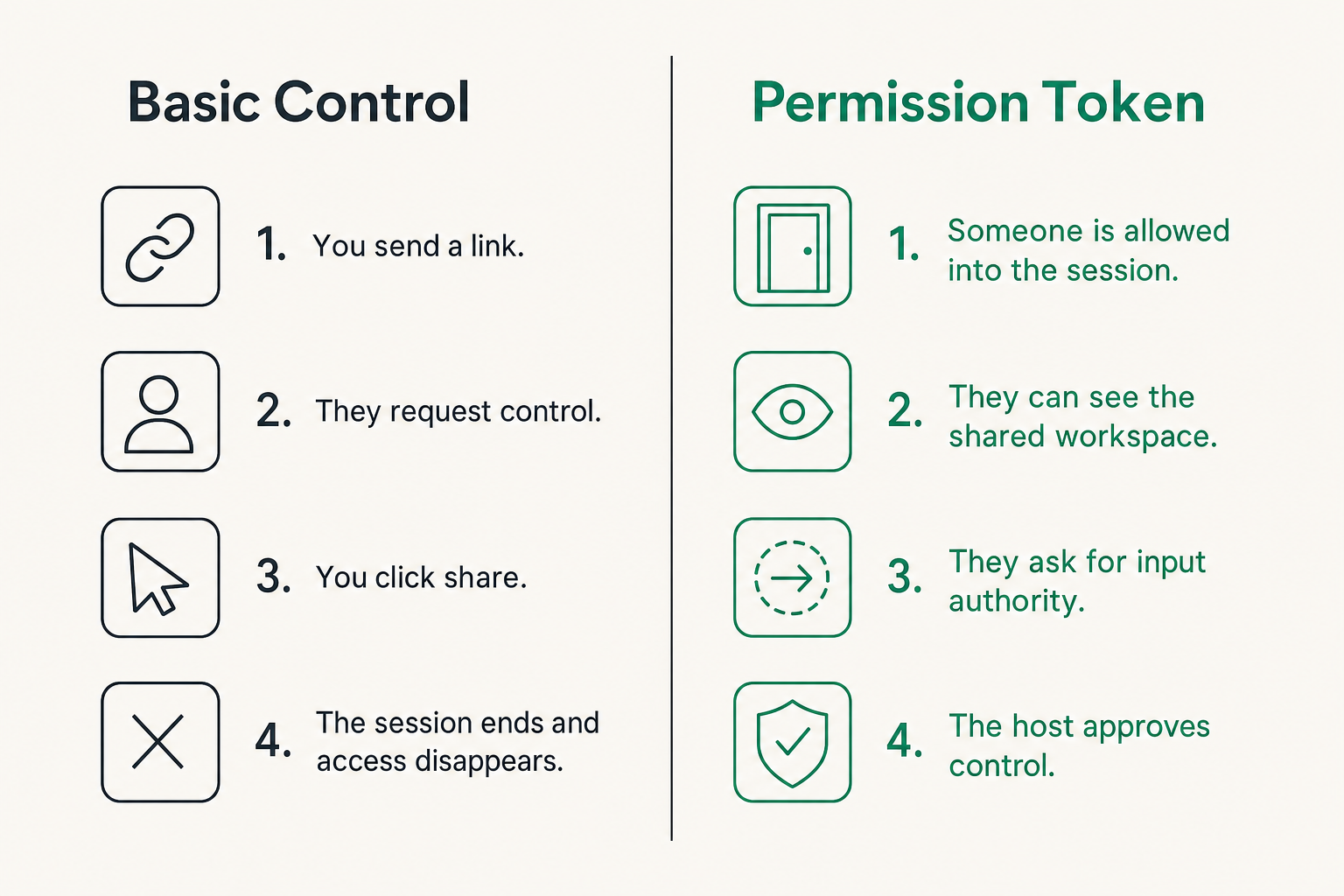
Most remote sessions feel lightweight because the interface hides the workflow. You send a link. Someone joins. You click share. They request control. Everyone gets on with the task.
What breaks in practice is everything around that moment: setup, consent, state changes, handoff, auditability, and cleanup.
Control has a lifecycle
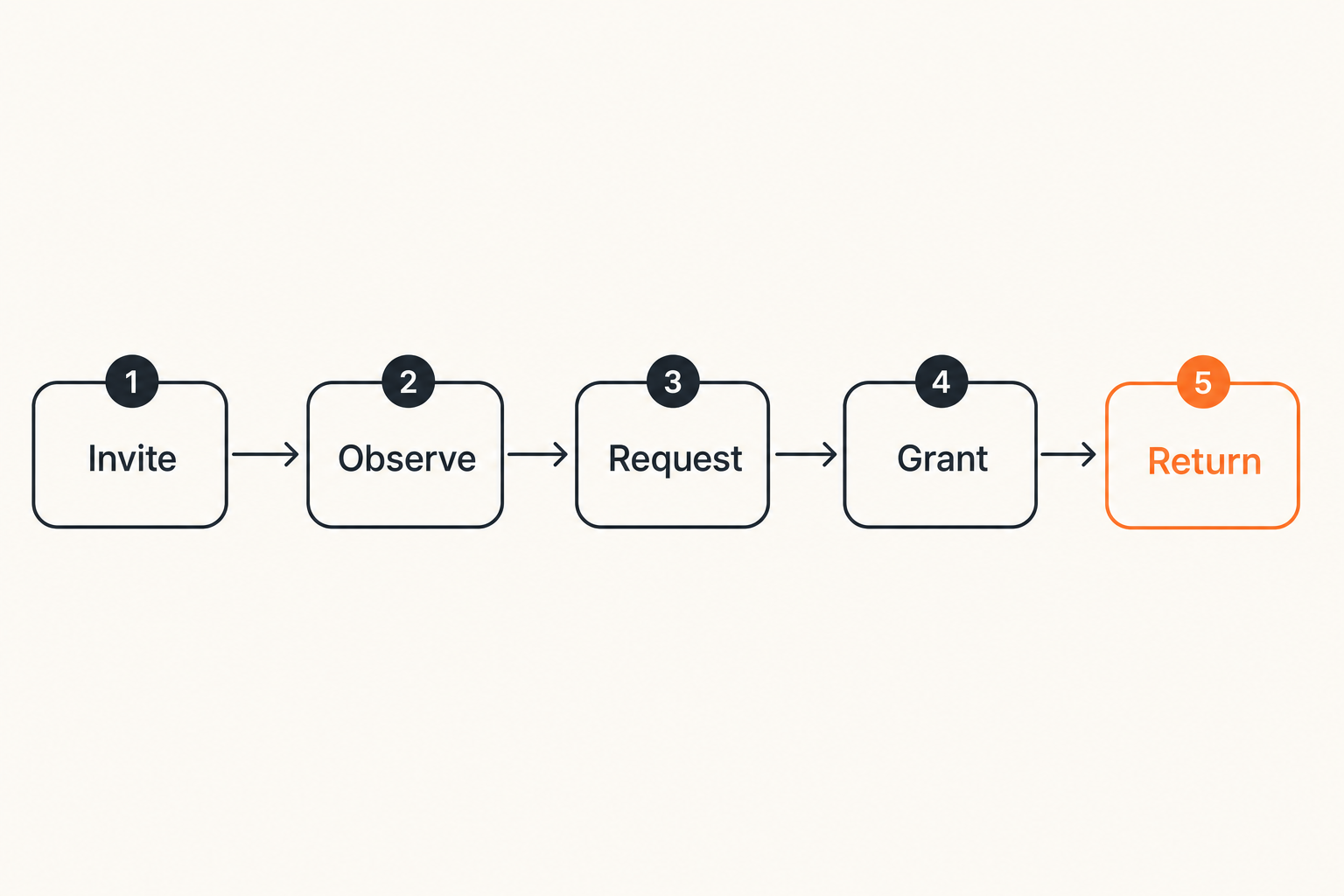
A remote control session has a lifecycle whether the tool names it or not:
- Invite: Someone is allowed into the session.
- Observe: They can see the shared workspace.
- Request: They ask for input authority.
- Grant: The host approves control.
- Act: The controller performs work.
- Return: Control goes back to the host.
- Close: The session ends and access disappears.
If any stage is vague, teams improvise. Improvisation is fine for casual calls. It is not fine for debugging customer data, editing code, changing billing settings, or walking through operational systems.
Related reading from our network: teams evaluating collaboration software often run into the same buying-process problem described in this practical SaaS buying workflow: the feature list is visible, but the operational behavior is what decides whether the tool works.
The UI is not the system
The UI says request control. The system has to handle latency, identity, focus, permissions, session state, input conflicts, reconnects, and host override.
That is why a remote control tool can look polished and still fail under real work. The glossy part is the visible screen. The hard part is state management.
Compare the two mental models:
| Model | What teams optimize for | What gets missed |
|---|---|---|
| Video-call feature | Fast screen sharing, simple buttons, low friction | Ownership, revocation, session state, audit trail |
| Garage door opener remote | Controlled access to a shared boundary | Slightly more setup, clearer rules |
| Collaborative workspace | Shared action with explicit roles | Requires team habits and tool support |
The practical question is not which model sounds nicer. The practical question is which model survives real usage.
Garage door opener remote rules for remote control sessions
A garage door opener remote is useful because it is constrained. It opens a specific door. It does not grant unlimited access to the house, the bank account, and the alarm panel.
Remote teams need the same constraint. Remote control should be easy to grant, easy to observe, and easy to revoke.
Grant access intentionally
Intentional access does not have to mean slow access. It means the host knows what is being granted.
Good control grants usually include:
- A visible request from a named participant.
- A host approval action.
- A clear on-screen indicator after approval.
- A fast way to take control back.
- A session boundary so control does not persist forever.
This matters because many collaborative sessions move quickly. A product manager asks a designer to show the issue. A developer asks to drive the browser for two minutes. A founder asks a customer to demonstrate a workflow. The handoff feels informal, but the action can be meaningful.
If your team is standardizing this workflow, the PairUX features for real-time screen sharing and remote control are useful to review because the product is built around collaborative control rather than one-way presentation.
Make revocation obvious
Revocation is where many tools get weak. They make it easy to grant control but unclear how to stop it under pressure.
A garage door opener remote has a simple failure mode: stop pressing the button. Remote control needs an equivalent. The host should always have a reliable override.
Practical rule: The host must never negotiate to regain control of their own workspace. Revocation should be immediate, local, and visually obvious.
This is not only about security. It is about flow. If a developer is sharing an IDE and the other person accidentally keeps focus, the session slows down. If a designer is reviewing a prototype and someone moves the cursor while they explain a point, the conversation fragments. Clear revocation keeps collaboration calm.
What breaks when teams share control badly
Bad remote control workflows rarely fail dramatically. They fail in small ways that compound: confusion, repeated explanations, accidental clicks, duplicated work, and long follow-up threads.
The mistake teams make is assuming the only risk is malicious behavior. In normal teams, the more common risk is ambiguity.
Cursor conflict and silent takeover
Cursor conflict happens when two people think they are driving. Silent takeover happens when one person gains or keeps control without the whole group noticing.
Both are workflow failures.
Common symptoms include:
- Two people typing into the same field.
- A reviewer moving the cursor while the presenter is explaining.
- A helper clicking through too quickly for the host to follow.
- A participant thinking they lost control because of lag.
- The host not realizing another person still has input authority.
None of these require bad intent. They come from weak signals.
The fix is not more meetings. The fix is better session design: visible ownership, clear handoffs, and a shared vocabulary. Say who is driving. Say when control changes. Say when the task is done.
Context loss after the session
The second failure mode is context loss. Someone fixes a problem during a remote control session, but nobody captures what changed. Later, the team cannot explain why the issue disappeared or what should be repeated.
This is especially common in startup operations. A founder, designer, and engineer jump on a call. Someone shares a screen. Someone else takes control. The bug gets patched, the setting gets changed, or the customer workflow gets unblocked. The team celebrates for ten seconds and moves on.
Then the same issue appears again.
Practical rule: A successful remote control session should leave behind enough context for someone who was not on the call to understand what changed.
That does not require heavy documentation. It can be a ticket comment, a short recording, a checklist update, or a commit reference. The point is to connect the action to the record.
A practical architecture for collaborative screen sharing
If remote control is a temporary authority system, the architecture should be built around roles, state, signals, and recovery. This applies whether you are buying software, building an internal tool, or defining team process.
A simple architecture beats a vague one.
Roles, state, and session boundaries
At minimum, define three roles:
- Host: Owns the shared workspace and can end or revoke control.
- Controller: Temporarily acts inside the workspace.
- Observer: Can watch and comment but cannot act.
Then define state:
- Session not started.
- Screen visible.
- Control requested.
- Control granted.
- Control revoked.
- Session ended.
This sounds basic, but it prevents a lot of operational mess. If the product and the team both understand these states, the meeting becomes easier to run.
A garage door opener remote works because it maps a simple command to a known boundary. Remote collaboration needs the same mapping. Who is holding the remote? Which door are they opening? What happens when they stop?
Signals that make collaboration safer
Signals are the difference between calm collaboration and chaotic cursor chasing.
Useful signals include:
- A named controller label.
- Distinct cursors for each participant.
- A visible control status indicator.
- A host override button.
- Audio or visual confirmation when control changes.
- Session end cleanup.
The best signals reduce conversation overhead. Instead of asking who has control, the interface shows it. Instead of asking whether control ended, the state changes visibly.
For setup details, system requirements, and security notes, teams can use the PairUX documentation for installation and usage as a baseline before rolling the workflow out across a distributed team.
The implementation workflow for remote teams
Remote teams do not need a thirty-page policy for screen sharing. They need a repeatable operating sequence.
The practical question is: what should happen every time someone shares control?
Start with session types
Not every session needs the same control model. Start by naming the session type.
| Session type | Typical workspace | Control risk | Recommended pattern |
|---|---|---|---|
| Design review | Prototype or design file | Low to medium | Host drives, brief controlled handoffs |
| Pair programming | IDE, terminal, browser | Medium | Explicit driver/navigator rotation |
| Customer support | Customer app or admin panel | Medium to high | Least privilege, narrated actions |
| Incident response | Dashboards, consoles, logs | High | One driver, observers, written timeline |
| Onboarding | Local dev setup or tools | Medium | Guided control with frequent returns |
The value of this table is not bureaucracy. It gives the team a default. Defaults reduce negotiation.
Define the handoff sequence
Use a consistent sequence for control handoffs:
- Name the task: Say what the controller is about to do.
- Request control: The participant requests input authority.
- Grant control: The host approves and everyone sees the state change.
- Narrate actions: The controller explains meaningful clicks or edits.
- Pause before risky actions: Deploys, deletes, approvals, payments, and permission changes get a verbal checkpoint.
- Return control: The controller gives back control when the task is complete.
- Record the outcome: Add the decision, fix, or next step somewhere durable.
This sequence is intentionally boring. Boring is good. Boring means it can survive a stressful debugging call at 11 p.m.
Related reading from our network: software teams working near delivery pipelines face similar ownership and validation problems, which is why security system installation for CI/CD workflows is a useful adjacent comparison for thinking about control boundaries.
What works and what fails in production
In production, collaboration tools fail less because of missing features and more because of mismatched assumptions. One person thinks the call is a demo. Another thinks it is a working session. Another thinks they are allowed to drive. Another is waiting for permission.
That is why the team habit matters as much as the tool.
What works
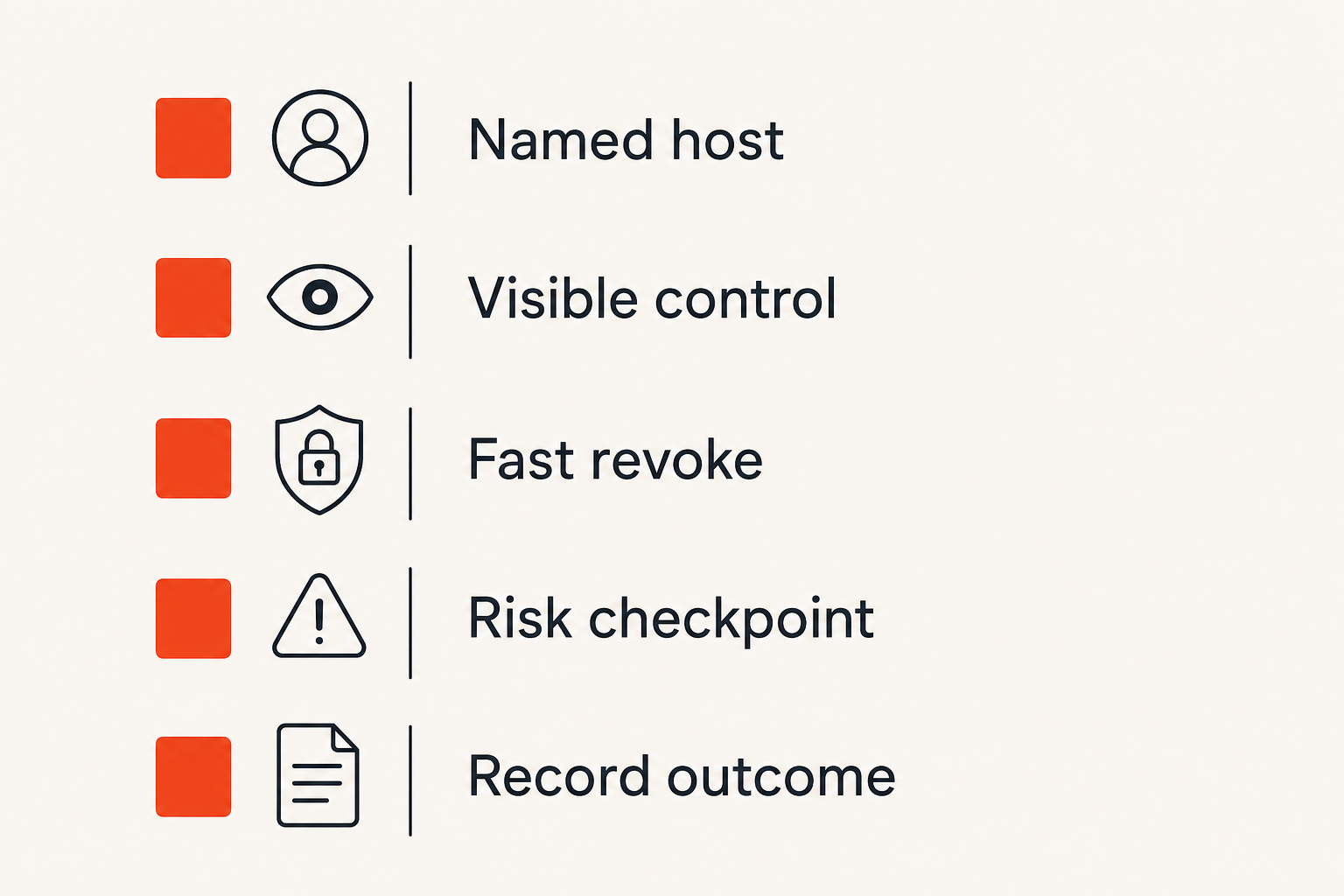
What works is simple and explicit:
- One named host owns the workspace.
- Control changes are visible.
- Handoffs are verbal and short.
- Risky actions require a checkpoint.
- The host can revoke control instantly.
- The outcome is captured after the session.
A good remote control workflow feels like pair programming, not like wrestling over a mouse. The controller can act quickly, but the host never loses awareness.
This is especially important for product teams. Designers often need someone else to reproduce an interaction. Developers often need to inspect a local state that only exists on another machine. Operators often need to help a teammate configure a tool without waiting for screenshots. Remote control helps, but only when it preserves shared understanding.
What fails
What fails is usually one of these patterns:
- Permanent access thinking: A temporary session becomes treated like ongoing permission.
- No visible driver: Nobody knows who is controlling the screen.
- No host override: The host has to ask for control back instead of taking it.
- No action narration: The controller moves quickly and leaves others behind.
- No recovery plan: Reconnects, lag, or crashes create confusion.
- No record: The team cannot reconstruct what changed.
The garage door opener remote analogy is useful here because it forces constraint. You would not give every contractor a permanent remote to every door and hope for the best. You would assign access based on the job, remove it when it is no longer needed, and know which door each remote opens.
Remote collaboration deserves the same discipline.
Buying or building remote control tools in 2026
By 2026, most teams have used enough remote work tools to be skeptical of demos. They know smooth onboarding does not guarantee reliable collaboration. They know a beautiful meeting UI can still create messy operational handoffs.
The practical question is not whether a tool has remote control. The practical question is how that control behaves under real team pressure.
Evaluate behavior, not feature checklists
When evaluating tools, test the workflow rather than the marketing page.
Run scenarios like these:
- A designer hands control to an engineer for thirty seconds.
- A developer shares a local bug and another developer drives the browser.
- A support teammate guides someone through a settings change.
- The host revokes control mid-action.
- The controller disconnects unexpectedly.
- Two people attempt to interact at the same time.
- The session ends and everyone verifies access is gone.
Watch for hesitation. Watch for unclear status. Watch for cases where people have to ask the tool what state it is in.
If you are comparing tools across a team, do not only ask whether people liked the interface. Ask whether they trusted the handoff.
Security is part of usability
Some teams treat security as a separate checklist. That is a mistake. In remote control, security and usability are tightly connected.
If revocation is hard to find, that is both a security problem and a usability problem. If controller identity is unclear, that is both a trust problem and a workflow problem. If session boundaries are vague, that is both an operational risk and a collaboration tax.
Practical rule: In collaborative control, a safer interface is usually a clearer interface.
This does not mean every session needs enterprise overhead. It means the product should make the safe path the normal path.
Related reading from our network: teams that sell products online run into the same difference between visible UI and back-office operations, and this shipping system guide is a useful parallel for thinking about state, handoffs, and support.
Where PairUX fits
PairUX is built for teams that need collaborative screen sharing with remote control, not just passive presentation. That matters because the workflow is different.
A passive screen share asks people to watch. A collaborative session asks people to work together inside a shared context.
PairUX as a shared-control workspace
The PairUX angle is straightforward: make real-time collaboration feel direct while keeping control understandable. For remote teams, that means screen sharing, remote control, multi-cursor collaboration, and cross-platform access need to behave like one workflow rather than disconnected features.
The product is especially relevant when your work regularly crosses from conversation into action:
- Debugging a UI issue with another developer.
- Reviewing interaction details with a product designer.
- Helping a teammate configure a local environment.
- Pairing on a customer reproduction path.
- Walking through an internal tool without sending five screenshots.
If your team has been thinking about this through the garage door opener remote lens already, the earlier PairUX article on collaborative control that does not break expands the same idea into permissions, handoffs, and recovery patterns.
When PairUX is a good fit
PairUX is a good fit when the cost of misunderstanding is higher than the cost of setting up a better workflow.
That usually includes teams that:
- Pair frequently across design and engineering.
- Need remote control without turning every session into a formal meeting.
- Work across macOS, Windows, or Linux.
- Want clearer handoffs during debugging or onboarding.
- Prefer practical collaboration tooling over heavyweight process.
It is not magic. No tool removes the need for team habits. But a tool can make the right habits easier and the risky habits harder.
That changes the conversation from can someone click my screen to can our team collaborate safely inside a shared workspace.
Closing checklist for garage door opener remote collaboration
The garage door opener remote metaphor works because it keeps the problem concrete. A remote is not just a button. It is a controlled way to change access to a shared space.
Remote control for distributed teams should be treated the same way.
The operator checklist
Before your next remote control session, check the basics:
- Do we know who owns the shared workspace?
- Do we know who is allowed to control it?
- Is the current controller visible?
- Can the host revoke control immediately?
- Are risky actions paused before execution?
- Will the outcome be captured after the call?
If the answer is no, the team does not need a longer meeting. It needs a clearer workflow.
The final test
Here is the final test: if someone joins halfway through the session, can they tell who is driving, what is being changed, and how control returns to the host?
If yes, your remote collaboration workflow is probably healthy. If no, the garage door opener remote model gives you a simple path forward: define the door, name the remote holder, constrain the action, and make revocation obvious.
Remote teams do not win because they share screens. They win because they can safely act together while understanding who has control.
Try pairux.com
PairUX is for remote teams that need fast, practical guidance and tooling for collaborative screen sharing, remote control, and working together online. Try pairux.com.