2026-06-10
Cloud Based Productivity and Collaboration Tools: The Remote Team Workflow Architecture for 2026
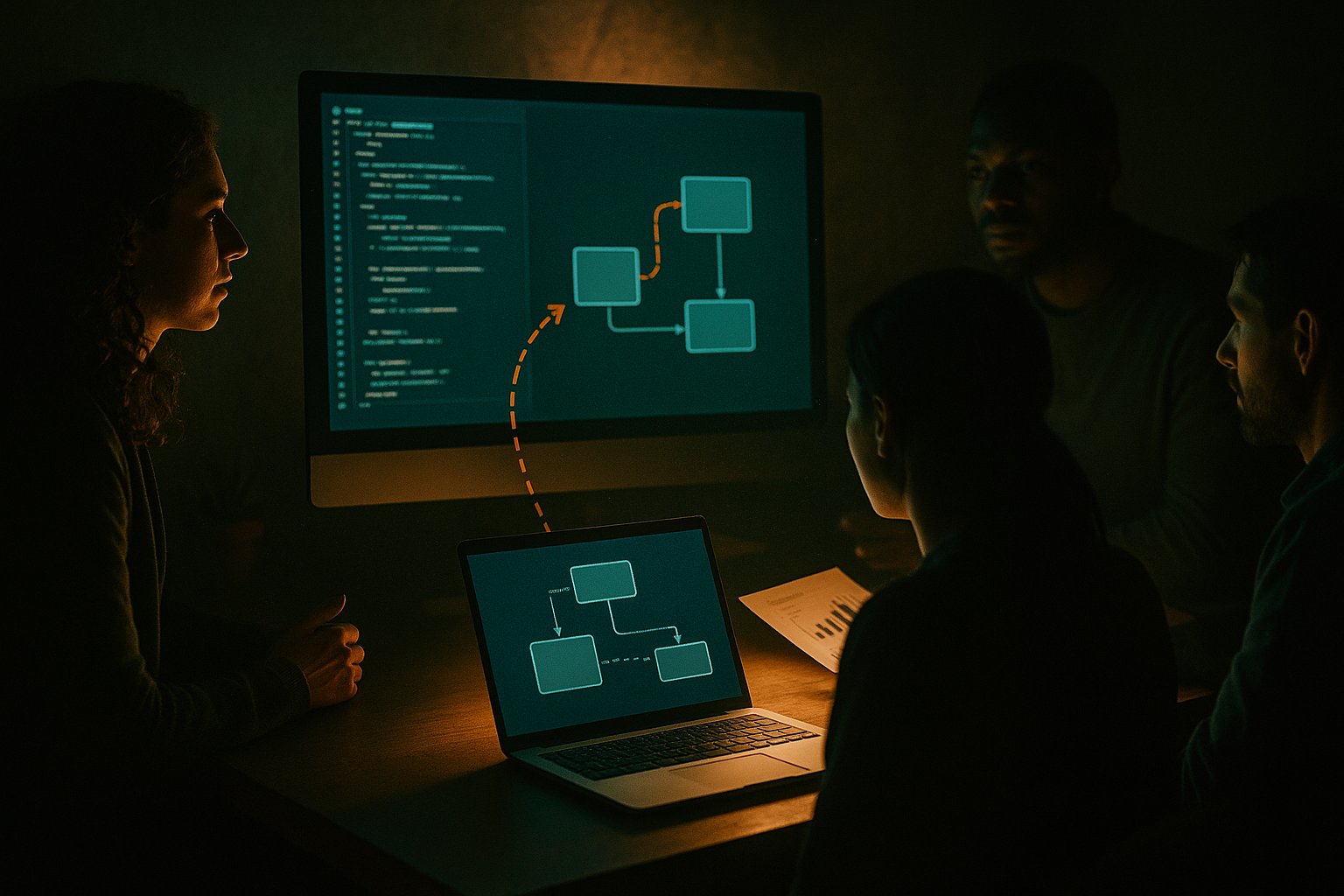
Cloud based productivity and collaboration tools are usually bought one app at a time. A team adds chat, then docs, then project management, then screen sharing, then a whiteboard, then another meeting tool because the first one is painful for pairing.
Six months later, nobody knows where the actual work lives. A decision is in chat, the spec is in a doc, the bug is in an issue tracker, the walkthrough happened on a call, and the customer context is buried in a recording nobody will watch.
Teams think the problem is tool choice. The real problem is workflow architecture.
That changes the conversation. The practical question is not which cloud app has the longest feature list. It is whether your collaboration stack can move work from idea to decision to execution without losing state, ownership, or context. For remote teams, product designers, software developers, and startup operators, this is the difference between a team that works online and a team that only meets online.
Table of contents
- Why cloud based productivity and collaboration tools fail in practice
- Map the collaboration stack as workflow architecture
- Choose tools by the state they manage
- Build the live collaboration layer deliberately
- Design workflows for designers developers and operators
- Secure the stack without slowing the team down
- Integrate tools around events not vibes
- Measure collaboration quality by operational signals
- Roll out a collaboration stack without creating chaos
- Where pairux.com fits in the architecture
- Closing the loop on cloud based productivity and collaboration tools
Why cloud based productivity and collaboration tools fail in practice
The UI is not the system
The mistake teams make is evaluating cloud based productivity and collaboration tools through screenshots. A clean dashboard looks like operational clarity. A pretty whiteboard looks like alignment. A meeting transcript looks like knowledge capture.
In production, the system is not the interface. The system is the chain of work that happens before and after the interface is used.
A design review is not just a Figma comment or a call. It is the agenda, the shared screen, the decision, the owner, the ticket, the follow-up, and the ability to reconstruct why a choice was made. A debugging session is not just remote control. It is the environment, the reproduction steps, the terminal output, the patch, the review, and the rollback path.
If a tool only makes the meeting smoother but does not preserve the work state, the team still pays the coordination cost later.
Remote work exposes weak handoffs
Office teams used to hide bad process with proximity. Someone could tap a shoulder, point at a monitor, or overhear a decision. Remote teams do not get that buffer.
When the handoff is weak, everything becomes a meeting. When the meeting is weak, everything becomes a follow-up message. When the follow-up is weak, the work stalls.
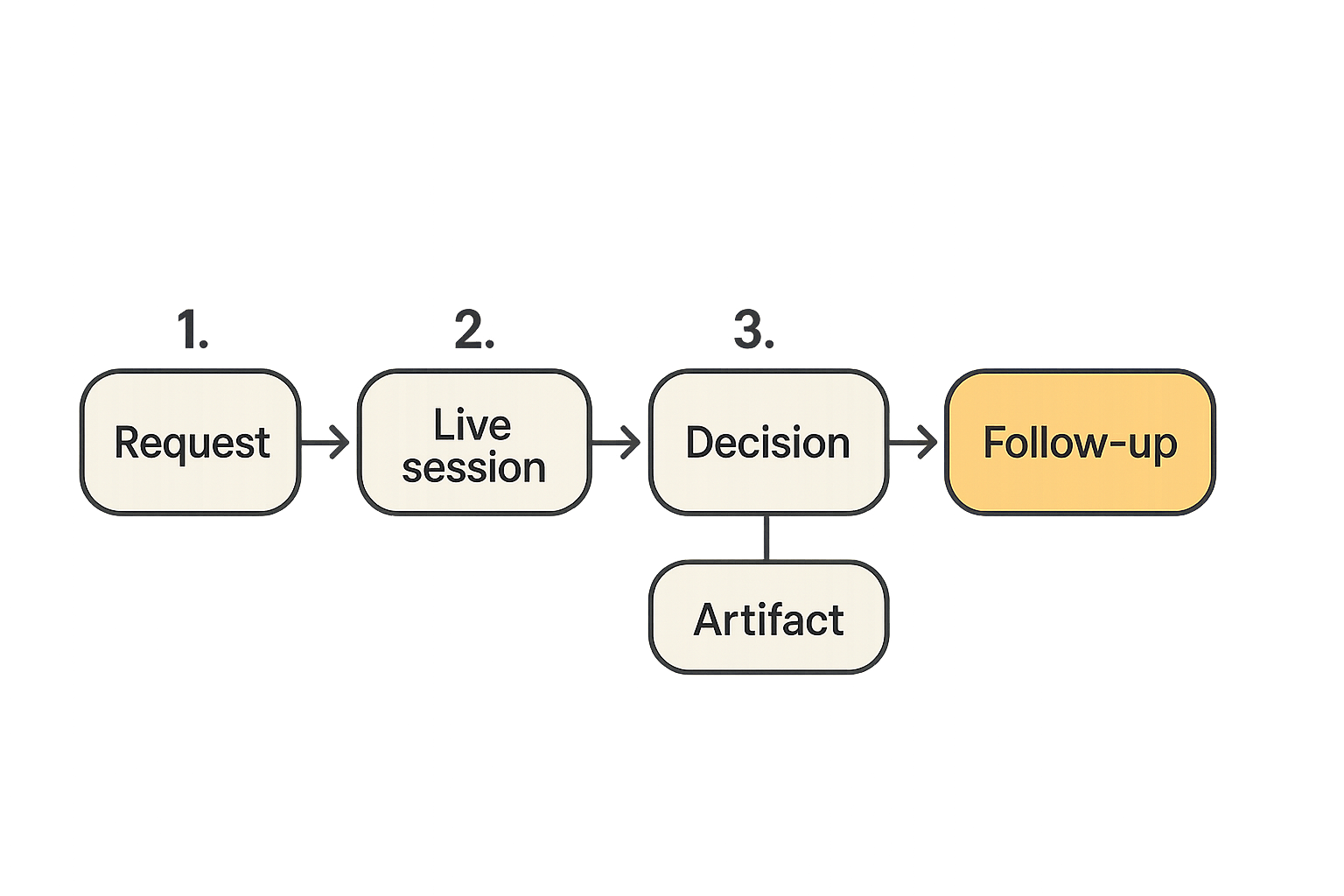
A useful way to think about it is simple: every remote workflow needs a place for live work, a place for durable context, and a place for ownership. If one is missing, the team improvises.
Practical rule: Do not add a collaboration tool until you can name the workflow state it will own.
The collaboration tax compounds
The collaboration tax is the time spent finding context, re-explaining decisions, waiting for access, switching tools, and recovering from stale assumptions. It rarely appears as one big failure. It shows up as drag.
Product designers wait for feedback that was already discussed. Developers wait for reproduction steps that were shown on a call but not written down. Operators ask whether a customer escalation was handled because the thread, recording, and ticket disagree.
The tools may all be good. The stack is still bad if the work cannot move cleanly through it.
Map the collaboration stack as workflow architecture
Separate systems of record from systems of action
The first architecture decision is whether a tool is a system of record or a system of action.
A system of record stores the durable truth: tickets, docs, design specs, release notes, customer notes, runbooks. A system of action is where work happens live: screen sharing, remote control, chat, calls, whiteboards, code pairing.
Confusion starts when teams expect one layer to do the other layer's job. Chat is a bad system of record. A ticket tracker is a bad live collaboration surface. A video recording is a weak decision log unless someone extracts the decision.
| Layer | Good for | Bad for | Common mistake |
|---|---|---|---|
| Chat | Fast coordination | Durable decisions | Treating threads as documentation |
| Docs | Shared context | Real-time debugging | Writing essays instead of resolving blockers |
| Project tracker | Ownership and status | Live collaboration | Using tickets as conversation dumps |
| Screen sharing | Live inspection and pairing | Long-term memory | Assuming everyone remembers the session |
| Whiteboard | Exploration | Execution tracking | Leaving decisions as sticky notes |
Define the live collaboration layer
The live collaboration layer is where the team works together in the moment. For remote teams, this layer matters more than many operators admit.
If the live layer is clumsy, people avoid pairing. If remote control is unreliable, debugging becomes a narrated guessing game. If screen sharing has too much friction, designers stop walking through edge cases and start sending screenshots.
This is why collaborative screen sharing belongs in the architecture discussion, not in the nice-to-have bucket. It is the operating surface for ambiguous work.
Track where context enters and leaves
Every workflow has context ingress and context egress.
Context enters when someone shares a screen, opens an issue, drops a link, starts a call, or asks for help. Context leaves when a decision is made, a task is created, a bug is fixed, or a customer update is sent.
What breaks in practice is the gap between those points. A team has the conversation but does not update the ticket. A developer fixes the issue but does not record the root cause. A designer gets approval but the spec still shows the old interaction.
Related reading from our network: teams evaluating business operations software face the same state-management problem in billing, where the real question is workflow and reconciliation rather than screens; see this guide to invoicing software workflow architecture.
Choose tools by the state they manage
Communication state
Communication state answers: who said what, when, and with what urgency?
Chat, comments, calls, and notifications all manage communication state. The trap is assuming communication is the same as alignment. It is not. Communication creates signals. Alignment requires decisions, owners, and updated work artifacts.
For most remote teams, chat should be treated as a routing layer. It routes attention to the correct artifact or live session. It should not become the artifact.
Work state
Work state answers: what is being built, reviewed, shipped, or resolved?
This state usually belongs in your project tracker, issue tracker, design system, repository, or product document. The best collaboration stacks make it easy to jump from live discussion to the work object.
A practical example: if a developer and designer pair on a UI bug, the session should end with one of three outcomes: a merged fix, a ticket with reproduction details, or a product decision recorded in the spec. If none of those exists, the live session created motion but not progress.
Access state
Access state answers: who can see, edit, control, approve, or invite?
Access is often treated as administration. It is actually part of the workflow. A remote control session requires different trust than a view-only screen share. A contractor reviewing a prototype needs different permissions than an engineer deploying production code.
Practical rule: Access should match the task being performed, not the seniority of the person asking.
Build the live collaboration layer deliberately
Screen sharing is an operating surface
Screen sharing is not just presentation. For modern remote teams, it is where ambiguity gets resolved.
A designer uses it to show interaction states that are hard to capture in static comments. A developer uses it to reproduce a bug in the actual environment. A founder uses it to review onboarding friction with a customer success teammate. The screen becomes the shared object.
That is why latency, clarity, control, and session setup matter. A tool that is fine for a quarterly all-hands may be painful for daily pair work. If a session takes too long to start, people default to asynchronous fragments. If control is awkward, the host becomes a bottleneck.
You can explore the capabilities that matter in this layer, including real-time screen sharing, remote control, and multi-cursor collaboration, on the PairUX features page.
Remote control needs explicit trust boundaries
Remote control changes the risk model. View-only collaboration lets someone observe. Control lets someone act.
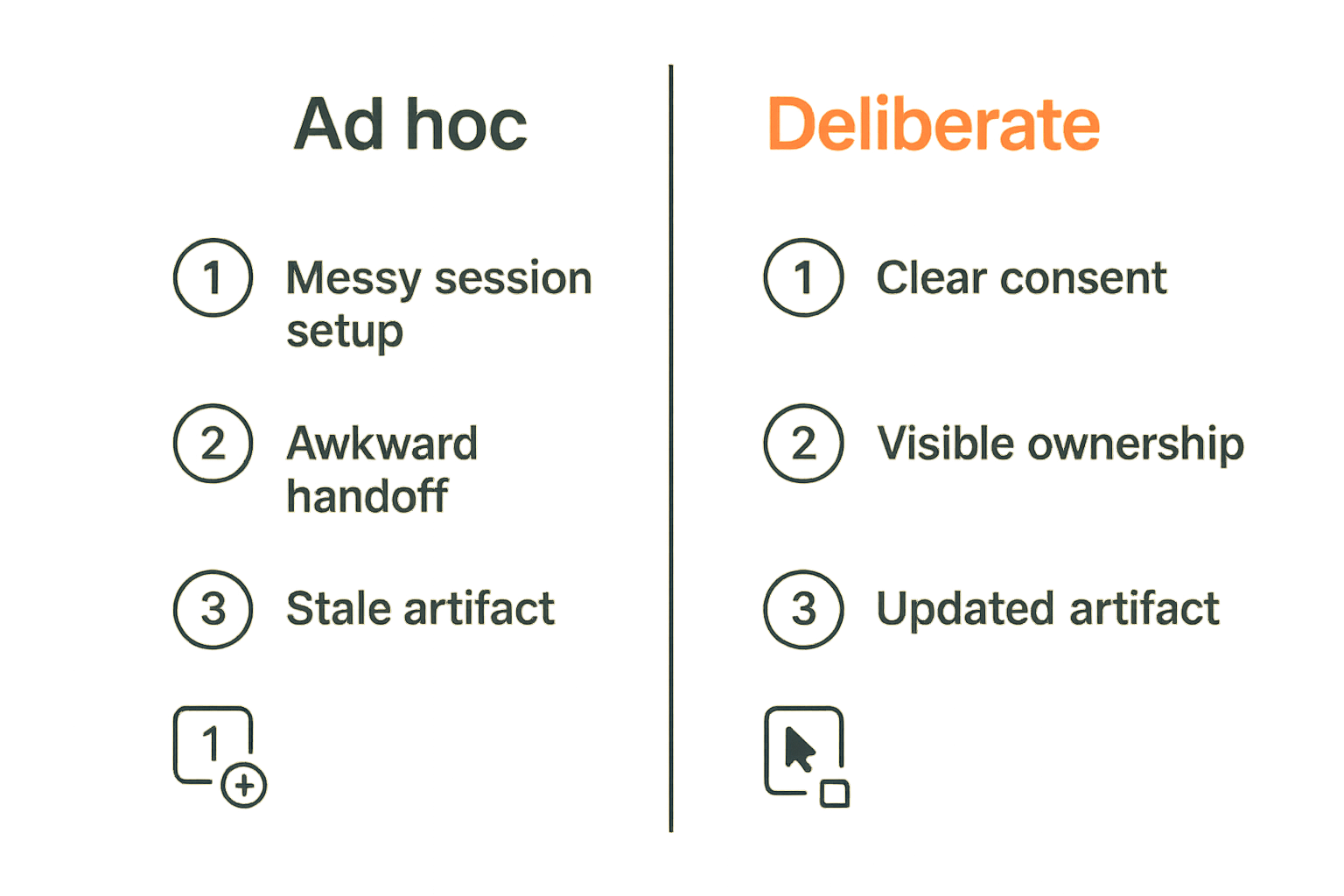
That does not mean remote control is unsafe by default. It means the workflow needs boundaries: clear consent, visible control state, easy revocation, and task-specific usage. The host should always know who has control and how to take it back.
The mistake teams make is treating remote control as a binary capability. In practice, you need session rules. Who can request control? Can guests control? Is control limited to a single session? Does the team use it for production consoles, local development, design tools, or customer support?
Multi-person sessions need ownership rules
Live collaboration gets noisy when nobody owns the session.
For design reviews, one person should own the decision log. For debugging, one person should own the reproduction path. For remote support, one person should own the customer-facing update. Without that, a strong live session turns into a weak artifact.
A simple session pattern works well:
- Name the outcome before sharing the screen.
- Decide who controls the screen and who records decisions.
- Keep the durable artifact open during the session.
- End by updating the ticket, spec, doc, or pull request.
- Close the loop in the channel where the work was requested.
Design workflows for designers developers and operators
Product design reviews
Design collaboration fails when feedback lives in too many places. A stakeholder comments in the design tool, a developer raises an edge case in chat, a founder reacts during a call, and the final decision is implied rather than written.
For design reviews, cloud based productivity and collaboration tools should support three states: exploration, decision, and implementation.
Exploration can happen on a whiteboard or shared screen. Decision should land in the design artifact or product spec. Implementation should land in tickets or code. If the team skips the transition, design becomes theater.
A practical design review checklist:
- Start with the user flow, not the individual screen.
- Share the live prototype or product surface.
- Record open questions separately from decisions.
- Assign implementation owners before the session ends.
- Link the design artifact from the execution ticket.
Developer pairing and debugging
Developer collaboration is more operational than it looks. Pairing is not just two people looking at code. It often involves local environment state, secrets boundaries, terminal commands, logs, browser behavior, test output, and deployment risk.
For developers, the live layer must be fast enough to avoid interrupting thought. Remote control should be predictable. Screen sharing should preserve enough detail to read code and logs. The workflow should avoid exposing credentials or production access casually.
Related reading from our network: teams building AI agents on local machines face similar issues around credentials, tools, runtimes, and auditable workflows; this architecture guide to Mac tools for AI agent builders is a useful adjacent lens.
Startup operator handoffs
Startup operators live in the gaps between product, customer, and internal process. Their work often crosses tools: CRM, support inbox, analytics, docs, payments, product boards, and team chat.
The collaboration architecture should make handoffs visible. If a customer issue becomes a product bug, the customer context should travel with it. If an onboarding problem becomes a design change, the example should be preserved. If a pricing question becomes a policy decision, the decision should not remain in the founder's direct messages.
Practical rule: A handoff is not complete until the receiving system has enough context for someone else to act without replaying the conversation.
Secure the stack without slowing the team down
Identity first permissions second
Security in collaboration tools starts with identity. If you do not know who someone is, permissions are mostly guesswork.
For remote teams, identity should cover employees, contractors, agencies, customers, and guests. Each group needs a default access pattern. The goal is not maximum restriction. The goal is predictable permissioning that supports the work without creating shadow processes.
The practical question is: can the team invite the right person quickly without giving them permanent access to the wrong surface?
Related reading from our network: if your collaboration stack touches cloud infrastructure, CI/CD, or production systems, this practical guide to identity and access management for cloud security is worth reading alongside your tool rollout.
Guest access is a workflow not a checkbox
Guest access is where many collaboration systems get messy. A customer joins a screen share. A contractor reviews a design. A vendor helps debug an integration. Each case has a different trust profile.
Good guest access has a beginning, a scope, and an end. Bad guest access is a growing pile of exceptions.
Your rules should answer:
- Who can invite a guest?
- What can guests see by default?
- Can guests request remote control?
- How is access removed after the session or project?
- Where are guest actions logged?
Logs matter when memory fails
Nobody wants to think about logs during a productive collaboration session. You want them later, when something is unclear.
Logs help answer basic operational questions: who joined, who controlled, when access changed, what tool hosted the session, and where the follow-up artifact lives. You do not need surveillance theater. You need enough auditability to support trust, debugging, and incident review.
For setup, compatibility, and security basics, the PairUX documentation is the right place to check before rolling the tool into a broader team workflow.
Integrate tools around events not vibes
Use triggers that reflect real work
Integrations should follow real events, not vague activity.
A useful event is something the team can act on: ticket created, design approved, pull request opened, session completed, bug reproduced, customer update sent. A weak event is something that looks busy but does not change ownership or state.
For example, sending every meeting transcript into chat creates noise. Sending the three decisions and two action items to the related ticket creates leverage.
Avoid automation that hides responsibility
Automation often fails because it removes friction without preserving accountability. A bot creates tickets, but nobody owns them. A recording is saved, but nobody extracts the decision. A status update is posted, but it does not match the actual project state.
Automation should make ownership clearer. If it makes ownership fuzzier, it is not productivity. It is fog.
A simple operating schema can keep integrations sane:
collaboration_event:
  source: live_session
  workflow: bug_triage
  owner: engineering
  artifact: issue_url
  outcome: reproduced | fixed | needs_followup
  next_action_owner: person_or_team
  expires_at: optional_review_date
Keep a small operating schema
You do not need a giant internal platform to make cloud tools work together. You need consistent fields that describe work.
For most remote teams, the minimum schema is: workflow, owner, artifact, status, decision, next action, due date, and access scope. Use those concepts across docs, tickets, and live sessions. The names can differ by tool, but the operating model should stay consistent.
The previous PairUX article on cloud based productivity and collaboration tools for remote team architecture covers this broader stack view in more depth if you want the companion model.
Measure collaboration quality by operational signals
Useful metrics
Many teams measure collaboration by activity: messages sent, meetings held, docs created, comments added. Those signals are easy to count and usually misleading.
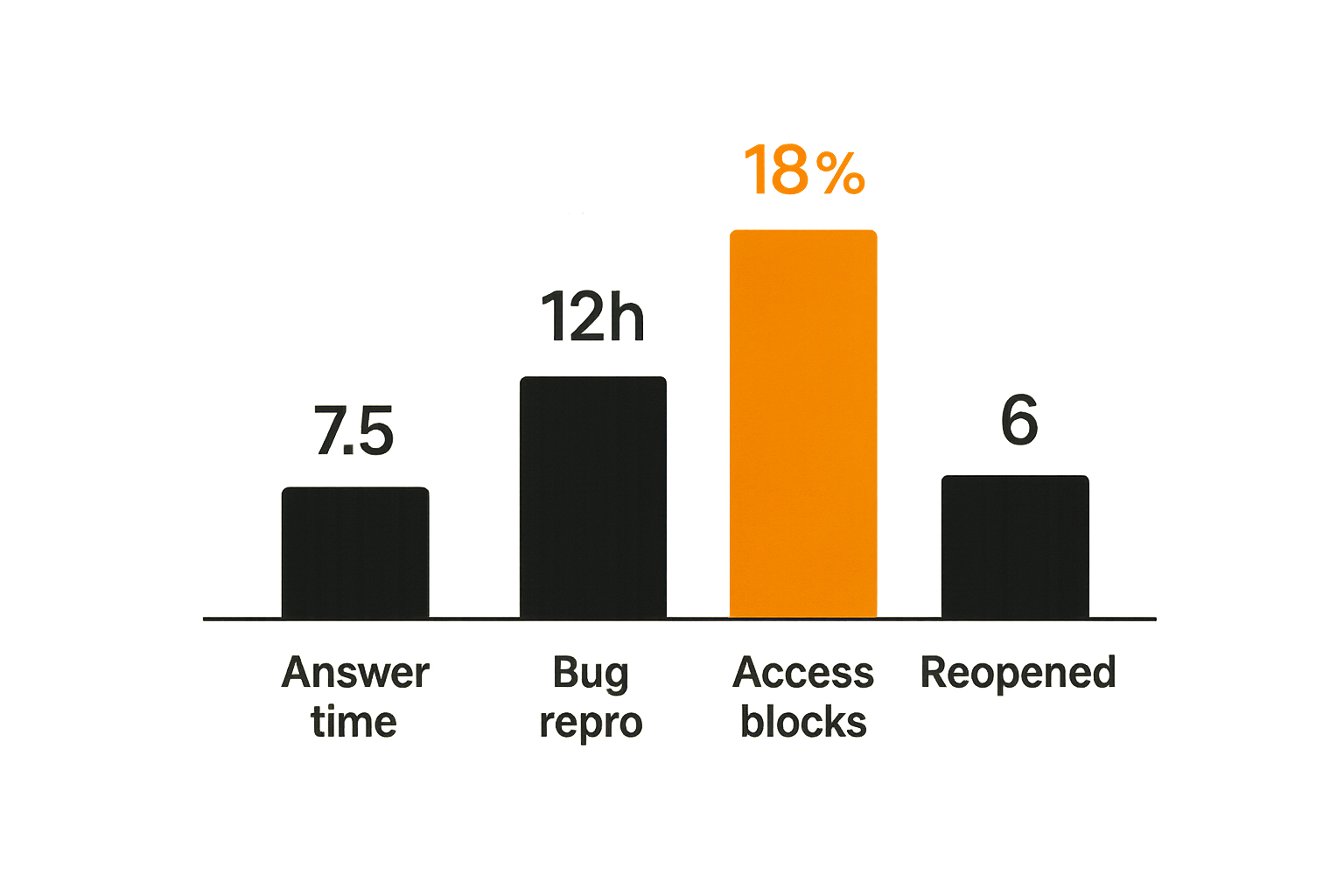
Better metrics track friction and completion:
- Time from question to useful answer.
- Time from bug report to reproduction.
- Percentage of live sessions that end with an updated artifact.
- Number of reopened decisions.
- Number of access-related blockers per week.
- Time from design approval to implementation ticket readiness.
These are not vanity metrics. They show whether the collaboration stack is reducing or increasing operational drag.
What breaks when metrics are fake
Fake metrics create bad behavior. If teams are rewarded for fewer meetings, they may move unresolved work into chat. If teams are rewarded for more documentation, they may write documents nobody uses. If teams are rewarded for faster ticket closure, they may close work before the customer problem is actually solved.
Measure the workflow outcome, not the visible performance of the tool.
Failure modes to watch
Common failure modes are easy to spot once you know what to look for:
- Decisions made in live sessions but not recorded.
- Multiple tools claiming to be the source of truth.
- Guests retaining access after the work is finished.
- Screen shares used for status meetings instead of problem solving.
- Remote control used without explicit consent norms.
- Automations creating work nobody owns.
- Recordings treated as documentation.
Practical rule: If a collaboration artifact cannot change what someone does next, it is probably not an artifact. It is residue.
Roll out a collaboration stack without creating chaos
Start with one workflow
Do not roll out a whole new collaboration philosophy at once. Pick one workflow with visible pain.
Good candidates include design review to implementation, bug triage to fix, customer escalation to product issue, or onboarding walkthrough to documentation update. Choose a workflow where the current failure is obvious and the team agrees it is expensive.
Then map the current path. Where does the request start? Where does live collaboration happen? Where is the decision recorded? Who owns the next action? Where does the requester see closure?
Document the minimum viable rules
Your first rules should fit on one page. If they require a handbook, they will not survive normal work.
Minimum viable rules might look like this:
- Every live collaboration session starts with an intended outcome.
- One person owns the durable artifact.
- Remote control requires explicit consent and visible handoff.
- Decisions are recorded in the system of record, not only in chat.
- Guest access is removed when the workflow ends.
- The requester gets a closure update in the original channel.
This is not bureaucracy. It is how remote teams avoid replaying the same context every week.
Review after two weeks
After two weeks, review the workflow, not the tool adoption graph.
Ask what got faster, what got clearer, and what still required manual chasing. Look for repeated access blockers. Look for sessions that ended without artifacts. Look for tickets that still needed someone to explain the history.
Then adjust the rules. The first version should be useful, not perfect.
Where pairux.com fits in the architecture
The product fit
PairUX fits in the live collaboration layer: the place where remote teams need shared screen context, remote control, and practical co-working without turning every problem into a long meeting.
That matters because many collaboration stacks are strong asynchronously but weak in the moment. Docs, tickets, and chat are necessary. They do not replace the need to look at the same thing together and, when appropriate, let another person drive.
For product designers, that can mean walking through a prototype and letting an engineer inspect behavior directly. For developers, it can mean pairing through a bug without narrating every click. For operators, it can mean guiding a teammate through a workflow while preserving enough context to update the right artifact afterward.
What works
What works is treating PairUX as an operating surface, not as a dumping ground for meetings.
Use it when the team needs shared attention on a live interface, environment, or workflow. Pair it with a durable artifact: ticket, doc, spec, pull request, customer note. Start sessions with an outcome and end sessions by updating the system of record.
This is the pattern that makes cloud based productivity and collaboration tools compound instead of collide.
What fails
What fails is using any live collaboration tool as a substitute for ownership.
A great screen share will not fix unclear priorities. Remote control will not fix missing access rules. A smooth session will not help if nobody records the decision. The tool can reduce friction, but it cannot decide how your team works.
The operator move is to put the tool in the right layer, define the handoff, and make the output visible.
Closing the loop on cloud based productivity and collaboration tools
Make collaboration observable
Cloud based productivity and collaboration tools should make work easier to move, not harder to locate. If your team has to search chat, docs, calls, recordings, and tickets to understand a decision, the architecture is leaking.
Make the live layer fast. Make the record layer durable. Make ownership explicit. Make access temporary when the work is temporary. Make integrations serve events that matter.
The final operating rule
The final operating rule is simple: every collaboration tool should either help the team decide, do, document, or hand off. If it does none of those, it is probably adding noise.
Remote teams do not need more disconnected apps. They need a collaboration system where screen sharing, remote control, docs, tickets, and chat each have a job. That is how cloud based productivity and collaboration tools become an advantage instead of another source of drag.
Try pairux.com
pairux.com is for remote teams that need fast, practical guidance on collaborative screen sharing, remote control, and working together online. Try pairux.com.