2026-06-06
Encrypted Messaging Screen Sharing: A Practical Architecture for Private Remote Work

Encrypted messaging screen sharing sounds like a feature request until something sensitive appears on screen at the wrong time.
A designer shares a prototype and accidentally exposes a customer note. A developer pairs on a bug and opens a terminal with environment variables. A founder jumps on a support call and scrolls past billing data. Nobody meant to leak anything. The workflow made it easy.
Teams think the problem is choosing a screen sharing tool with a lock icon. The real problem is designing a collaboration system where messages, pixels, permissions, session state, and support processes all line up.
That changes the conversation. Encrypted messaging screen sharing is not just video plus chat. It is an architecture decision for remote teams that need speed without turning every review, pairing session, or customer call into an uncontrolled data exposure.
Table of contents
- Encrypted messaging screen sharing is an architecture problem
- Threat model: what are you protecting during a shared session
- The reference workflow for encrypted messaging screen sharing
- Encryption boundaries: transport, message, and session state
- Permissions, consent, and remote control
- Product design workflows that need privacy without friction
- Implementation checklist for teams and vendors
- Common failure modes in encrypted messaging screen sharing
- What works, what fails, and how to measure it
- How PairUX fits private collaboration workflows
Encrypted messaging screen sharing is an architecture problem
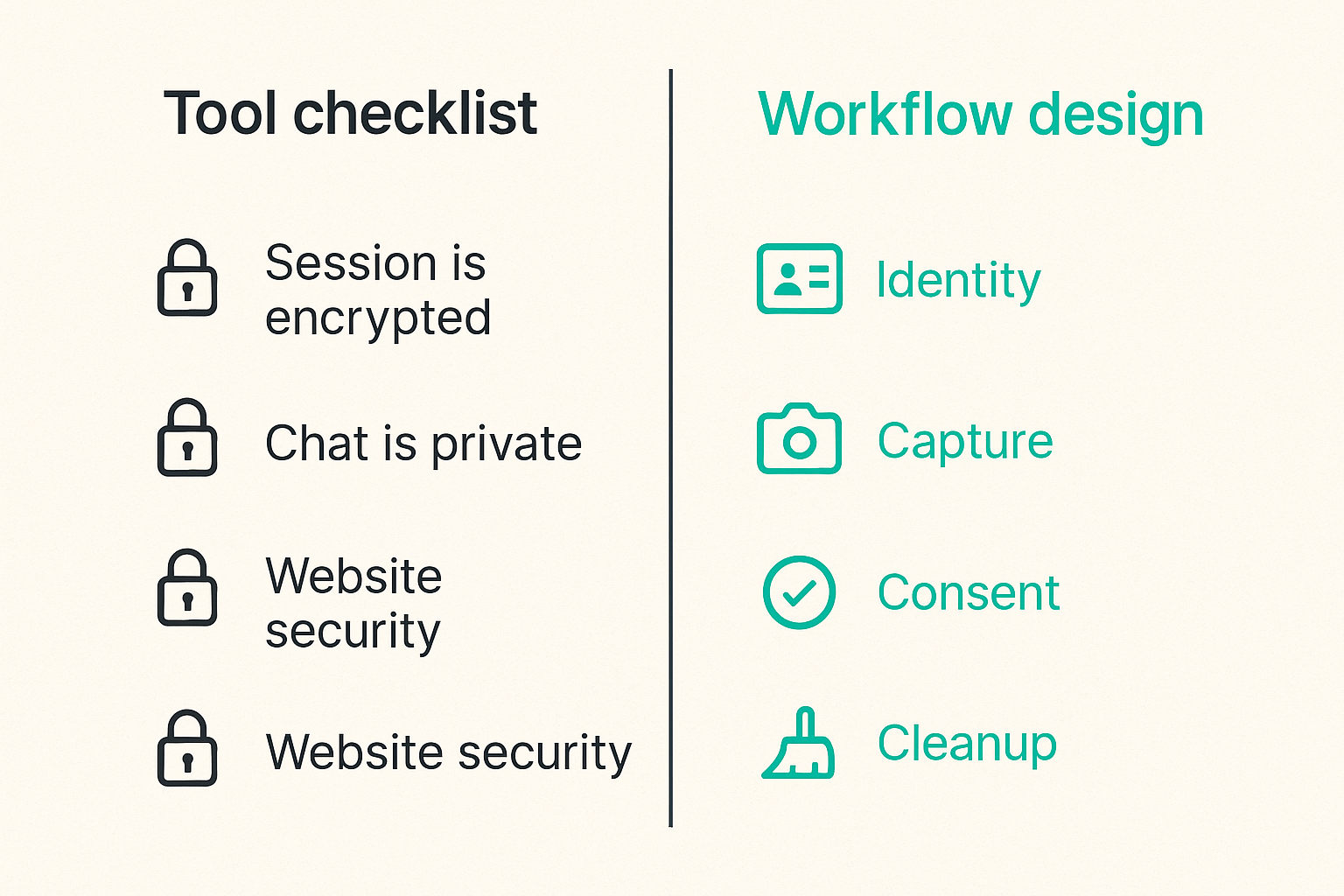
The mistake teams make is treating encrypted messaging screen sharing as a procurement checkbox. They ask whether the session is encrypted, whether chat is private, and whether the vendor has the right security language on the website.
Those questions matter, but they are not enough. A shared session is a live collaboration environment. It includes identity, invitations, permissions, screen capture, chat messages, file snippets, remote control, notifications, recordings, logs, and follow-up tickets. If one part of that chain is loose, the lock icon does not save you.
What teams usually optimize first
Most remote teams optimize for speed first:
- Can we start a session quickly?
- Can guests join without friction?
- Can a teammate take control when needed?
- Can chat, screen sharing, and notes happen in one place?
- Can the session work across browsers and operating systems?
This is reasonable. A collaboration tool that nobody uses is not secure in practice because people route around it. They paste screenshots into random chats, jump into consumer video tools, or give over-broad access to shared accounts.
The practical question is how to keep the workflow fast while adding enough structure that sensitive work does not spill into the wrong place.
What actually carries the risk
The risky part is rarely the encrypted transport alone. What breaks in practice is context collapse.
A product design review turns into a support investigation. A support investigation turns into a database check. A database check turns into remote control. The original session was created for one purpose, but the permissions and exposed information expand as the call continues.
Risk sits in transitions:
- Viewer becomes controller.
- Internal teammate invites an external guest.
- One app window becomes the whole desktop.
- Ephemeral chat becomes a copied task comment.
- Live troubleshooting becomes a recording.
- Debug output becomes a long-lived log artifact.
Practical rule: Treat every shared session as a temporary workspace with a purpose, an owner, and an expiration time.
The minimum viable security model
A useful way to think about it is three layers:
| Layer | What it controls | What can go wrong |
|---|---|---|
| Identity | Who is in the session | Wrong guest, stale invite, shared link forwarded |
| Capture | What pixels and messages are exposed | Full desktop shared, notifications visible, secrets on screen |
| Control | Who can act on someone else’s machine | Accidental edits, command execution, privilege confusion |
The model does not need to be complex. It does need to be explicit. If a team cannot answer who joined, what was shared, whether control was granted, and when access ended, the workflow is not mature enough for sensitive collaboration.
Threat model: what are you protecting during a shared session
Security work gets vague when teams skip the threat model. The goal is not to protect against every theoretical attacker in every session. The goal is to understand what data is exposed, who could access it, and where it might persist after the call.
As a guest contribution from the team at qrypt.chat, the lens here is practical private communication: encryption helps, but only when the surrounding workflow does not leak the same information somewhere else.
Messages, pixels, and control events are different data
Do not lump everything into one bucket called session data. Different streams need different rules.
Messages are intentional text. They may include links, notes, customer IDs, code snippets, or decisions. Pixels are visual exposure. They may reveal tabs, notifications, names, designs, private messages, dashboards, credentials, or internal tooling. Control events are actions. They can change files, click buttons, run commands, or modify production systems.
The security boundary for each stream is different:
- Messages need encryption, retention settings, export controls, and clear deletion behavior.
- Pixels need capture scoping, notification suppression, and recording policy.
- Control events need explicit consent, time limits, revocation, and auditability.
If a tool treats these streams as equivalent, operators end up building rules in docs and hoping people remember them.
The human layer matters
Many leaks happen because people are trying to move fast and be helpful. That is why consent and clarity are more useful than hidden policy.
A good screen sharing flow answers basic questions in the interface:
- Who can see my screen right now?
- Am I sharing a window, a tab, or everything?
- Is anyone recording?
- Can anyone control my mouse or keyboard?
- Can an external guest see this chat?
- What happens when I leave?
If users have to infer these answers, they will guess. Under pressure, they will guess wrong.
Decide what must never be logged
Logs are useful until they become a second data breach surface. Teams often log too much because it helps support, debugging, and compliance. Then the secure session leaves behind insecure residue.
Decide ahead of time what must never enter logs:
- Message body content for private chats.
- Screen pixels or thumbnails.
- Clipboard contents.
- Keystroke values.
- Secrets, tokens, session keys, and invitation secrets.
- Full URLs when they contain sensitive query strings.
You can still keep operational audit events. Record that a session started, a participant joined, control was requested, control was granted, and the session ended. Avoid recording the sensitive content of the collaboration itself.
Practical rule: Audit the envelope of a private session, not the private contents inside it.
The reference workflow for encrypted messaging screen sharing

The best private collaboration systems feel simple because the workflow has been designed in the right order. Identity comes before access. Scope comes before capture. Consent comes before control. Cleanup comes before forgetting about the session.
Here is a practical sequence teams can adopt whether they are evaluating a vendor or building internal collaboration flows.
Step 1: authenticate the room
Start by making the room trustworthy.
- Create the session from an authenticated workspace or project.
- Assign a clear session owner.
- Generate an invite with a short lifetime.
- Require guests to identify themselves before joining.
- Show participant names and guest status visibly.
The session owner should not need to police this manually. If the tool allows anonymous forwarded links into sensitive sessions, the team will eventually have a bad day.
Step 2: negotiate the session
Before pixels move, the tool should make scope obvious.
The user chooses whether to share a browser tab, app window, region, or full screen. The default should be the narrowest useful option. If full screen sharing is needed, the interface should make that state visually obvious.
This is also where messaging context matters. A private message thread associated with the session should follow the same participant boundary. If an external guest is in the room, the chat should not behave like an internal-only team thread.
Step 3: share only the required surface
During the session, the system should help the user avoid accidental disclosure:
- Prefer window or tab sharing for design review.
- Suppress notifications while sharing.
- Warn before switching from a narrow capture to full desktop.
- Keep the active sharing state visible.
- Separate presenter chat from broader workspace chat when needed.
The mistake teams make is assuming users will remember to close every private tab and mute every notification. Better workflows reduce the need for perfect human behavior.
Step 4: close and clean up
Ending the call should end the access. That sounds obvious, but stale collaboration state is common.
A clean shutdown includes:
- Stop screen capture.
- Revoke remote control.
- Expire guest access if it was session-specific.
- Close temporary chat rooms when appropriate.
- Store only approved audit events.
- Confirm whether any recording exists.
If the session created follow-up work, move only the necessary summary into your issue tracker or product tool. Do not paste the whole private conversation by default.
Encryption boundaries: transport, message, and session state
Encryption is necessary. It is not a complete workflow. Teams need to understand which parts of the system are protected in transit, which are protected end to end, and which still rely on policy and access controls.
Transport encryption is necessary, not sufficient
Transport encryption protects data moving between clients and servers. That is table stakes for modern collaboration software. It reduces exposure on the network path, but it does not automatically answer who can access data on endpoints, what the service can process, or how long artifacts are retained.
For screen sharing, transport protection should be assumed, but not treated as the final answer. If the service records sessions, indexes chat, stores thumbnails, or allows admins to export content, those features create additional security decisions.
End-to-end encrypted messaging around the session
End-to-end encrypted messaging is strongest when the service provider cannot read message content. In collaboration workflows, this is valuable for sensitive side-channel communication: incident notes, customer details, credentials handling instructions, or legal/product discussions.
But the screen itself may still expose data visually. If someone types a secret into a terminal while sharing full desktop, message encryption does not help. This is why encrypted messaging and screen sharing need aligned controls, not separate promises.
| Approach | Strength | Weakness | Best use |
|---|---|---|---|
| Transport-only session security | Easy to operate, common baseline | Service-side access and retention may still matter | General collaboration with low sensitivity |
| Encrypted messaging plus scoped sharing | Better privacy for chat and reduced visual exposure | Requires good UX and participant clarity | Product reviews, pairing, support calls |
| Full privacy-by-design workflow | Aligns identity, capture, consent, logs, and retention | Needs rollout discipline | Sensitive customer, product, or operational work |
Metadata and retention still need policy
Even with strong encryption, metadata can matter. Session titles, participant lists, timestamps, IP addresses, device names, and room names may reveal business context.
You do not need to erase all metadata. You do need to decide what is necessary and who can see it. For most teams, a sane policy is:
- Keep minimal session audit metadata.
- Avoid content logs for private messages.
- Keep retention periods short unless there is a clear business reason.
- Separate troubleshooting telemetry from collaboration content.
- Make admin access visible and governed.
Practical rule: If you would not paste it into a public incident ticket, do not put it into default logs.
Permissions, consent, and remote control
Remote control is where screen sharing stops being passive. It can be incredibly useful for debugging, design handoffs, onboarding, and customer support. It can also create the fastest path from collaboration to unintended action.
View access is not control access
Seeing a screen and controlling a screen are different permissions. They should never be bundled casually.
A viewer can observe. A controller can act. In developer workflows, that may mean editing code, running commands, moving files, or interacting with admin consoles. In operator workflows, it may mean changing account settings, issuing refunds, or exposing customer data.
Good systems separate permissions like this:
- Join session.
- View shared surface.
- Send private message.
- Request remote control.
- Receive remote control.
- Transfer presenter role.
- Start recording.
- Invite additional participants.
Each permission should have a clear owner and, for sensitive actions, a visible consent step.
Make consent visible and revocable
Consent cannot be a one-time modal that disappears. The presenter should always know whether someone has control. The controller should know what they are allowed to do. Everyone should see when control changes hands.
Revocation needs to be immediate. If the presenter hits stop control, input should stop. If the session owner removes a guest, that guest should lose access to screen and chat state tied to the session.
This sounds basic, but under network lag, browser edge cases, and reconnection flows, permission state can get messy. Teams evaluating tools should test these cases, not just the happy path.
Avoid silent privilege drift
Privilege drift happens when a session starts small and accumulates access.
Example: an external contractor joins a design review. During the call, someone shares full desktop. Then a developer grants remote control to fix a prototype issue. Then the group keeps using the same room for a roadmap discussion. Nobody intended to give the contractor that much context, but the session drifted.
To prevent this, use friction at the right boundaries:
- Warn when adding external guests to internal sessions.
- Require renewed consent when switching to full screen.
- Expire control after inactivity.
- Make recording opt-in for sensitive rooms.
- Show guest badges persistently.
Security friction is bad when it blocks normal work. It is useful when it appears at moments where the risk meaningfully changes.
Product design workflows that need privacy without friction
Remote teams do not want security theater. They want collaboration that feels natural while avoiding obvious mistakes. The pattern depends on the work.
Design reviews and prototype walkthroughs
Design reviews usually do not need full desktop sharing. A browser tab, design canvas, or prototype window is enough.
What works:
- Share only the prototype or design tool window.
- Use session chat for decisions and action items.
- Keep internal critique separate from external stakeholder chat.
- Avoid recording early-stage product strategy unless necessary.
What fails:
- Sharing the whole desktop during competitive or customer-sensitive reviews.
- Letting guests remain in the room after their section ends.
- Copying raw session chat into public project notes.
Design work often includes unfinished ideas, customer names, roadmap hints, and pricing assumptions. It is not always regulated data, but it is still business-sensitive.
Developer pairing and incident debugging
Developer pairing raises different risks. The shared screen may contain terminals, logs, stack traces, local files, environment variables, feature flags, and production dashboards.
A practical setup:
- Use window-specific sharing for the editor or browser.
- Keep terminals separate when possible.
- Avoid pasting secrets into chat.
- Use temporary credentials for support or incident work.
- Grant remote control only for the specific task.
- End control before moving to unrelated systems.
For incident debugging, speed matters. Overly rigid controls will be bypassed. The goal is a workflow where the secure path is still the fastest path.
Operator calls with customer data
Startup operators often jump across product analytics, billing, CRM, support inboxes, and admin tools. That makes full desktop sharing especially risky.
Operators should use a pre-call checklist:
- Close unrelated customer records.
- Disable notifications.
- Share one app or tab.
- Use a dedicated support workspace when possible.
- Avoid recording unless the customer agrees and the business has a retention reason.
- Summarize outcomes without copying sensitive details.
The practical question is not whether operators are careful. The question is whether the system helps them be careful while handling real customer issues quickly.
Implementation checklist for teams and vendors
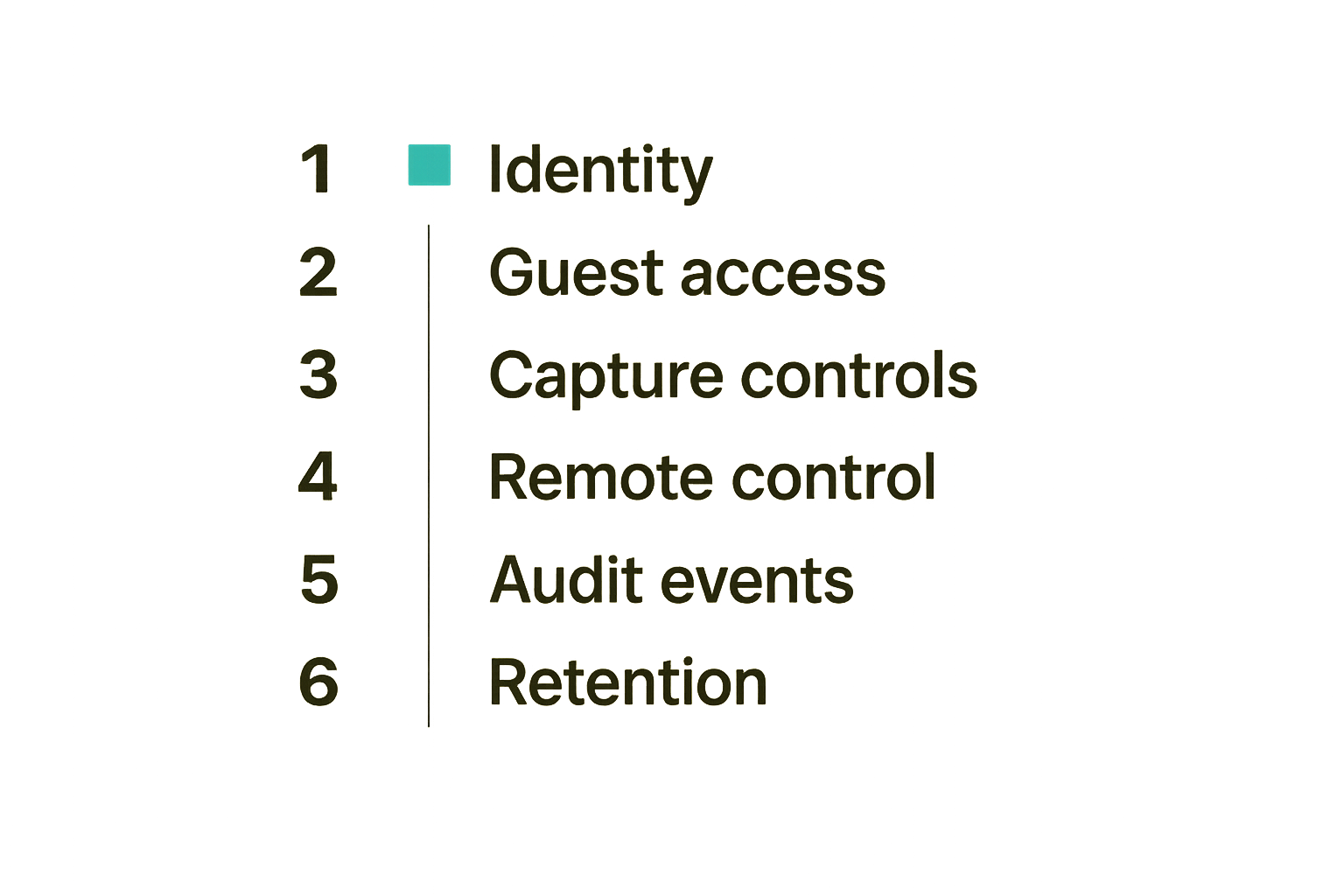
If you are rolling out encrypted messaging screen sharing, write down the operating rules before the first sensitive session. Small teams can do this in one page. Larger teams may need policy, admin controls, and training.
Identity and access controls
Start with who can create, join, and manage sessions.
Checklist:
- Require authenticated users for internal rooms.
- Use short-lived guest invites.
- Show external participants clearly.
- Restrict who can invite guests into sensitive rooms.
- Support session owners and moderators.
- Remove access when users leave the workspace.
- Avoid reusable public links for sensitive collaboration.
These controls should map to how the team actually works. A five-person startup does not need enterprise bureaucracy, but it still needs to avoid mystery guests in private sessions.
Client behavior and capture controls
The client is where privacy is won or lost. The UI should make safe behavior easy.
Look for:
- Window, tab, and full-screen capture options.
- Clear visual indication of what is being shared.
- Notification suppression or reminders.
- Warnings before expanding capture scope.
- Fast stop-sharing controls.
- Browser and operating system permission clarity.
- Sensible behavior on reconnect.
For remote control, test keyboard shortcuts, clipboard behavior, file drag-and-drop, and multi-monitor setups. These are the places where edge cases show up.
Audit events that help without leaking content
Auditing should support accountability without turning private collaboration into stored content.
Useful audit events include:
- Session created.
- Participant joined or left.
- Guest invited.
- Screen sharing started or stopped.
- Remote control requested, granted, revoked, or expired.
- Recording started or stopped.
- Session ended.
Avoid content-heavy logs unless there is a specific, reviewed need. For example, recording every chat body may help search, but it can defeat the purpose of private messaging.
Common failure modes in encrypted messaging screen sharing
Encrypted messaging screen sharing fails less often because encryption is absent and more often because teams connect secure and insecure systems without thinking through the handoff.
Logging the secure thing into an insecure system
This is the classic failure mode. A private session happens in a secure tool. Then someone copies the transcript into a public ticket, pastes a screenshot into a broad channel, or stores a recording in a shared drive with loose permissions.
What breaks is not the session. The workflow after the session breaks.
Fix it by defining approved handoff patterns:
- Summaries instead of raw transcripts.
- Redacted screenshots instead of full screenshots.
- Links to controlled artifacts instead of file copies.
- Separate internal notes from customer-visible notes.
- Retention defaults that match sensitivity.
Recording by default
Recording is useful for training, async review, and accountability. It is also one of the highest-risk features in screen sharing.
Default recording changes user behavior. People forget it is on. Sensitive details get captured. The recording then lives longer than the original need.
For private work, use recording deliberately:
- Make recording visible to all participants.
- Require consent for external calls.
- Disable default recording in sensitive rooms.
- Set retention periods.
- Restrict download permissions.
- Confirm deletion paths.
Practical rule: If a session would be risky to email as a video file, it should not be recorded by default.
Treating external guests like employees
External guests need different assumptions. They may be customers, contractors, candidates, investors, auditors, agencies, or vendors. Their presence changes what should be shared.
Common mistakes:
- Reusing internal rooms for external calls.
- Leaving guests in persistent channels.
- Allowing guests to see internal chat history.
- Letting any participant invite more guests.
- Forgetting to revoke access after the project ends.
A better pattern is guest-scoped sessions: limited purpose, limited duration, visible identity, and no inherited internal history.
What works, what fails, and how to measure it
Security programs often measure the wrong thing. If the only goal is reducing friction, teams will expose too much. If the only goal is locking everything down, teams will bypass the system. The useful middle is measuring whether sensitive collaboration happens in the intended workflow.
What works in production
In production, the strongest controls are usually boring:
- Default to narrow sharing.
- Make participant identity obvious.
- Separate viewing from control.
- Keep guest access temporary.
- Avoid content logs for private messages.
- Make recording intentional.
- Give users a fast panic button to stop sharing.
- Review sensitive workflows after incidents and near misses.
These are not flashy features. They reduce mistakes without requiring every teammate to become a security expert.
What fails under pressure
Controls fail when they add steps at the wrong time or hide important state.
Bad patterns include:
- Permission prompts that users click through without context.
- Admin settings nobody understands.
- Guest labels that disappear after join.
- Remote control indicators that are too subtle.
- Recording indicators that are easy to miss.
- Security policies stored in docs but not reflected in the product.
The mistake teams make is designing for the calm demo. Real sessions happen during launches, production bugs, customer escalations, hiring loops, investor calls, and design crunches.
Metrics that do not reward bad behavior
Useful metrics should show whether the workflow is being used safely:
| Metric | Good signal | Bad incentive to avoid |
|---|---|---|
| Sensitive sessions using scoped sharing | Teams choose tab or window share when appropriate | Punishing full-screen use even when necessary |
| Guest sessions with expiration | External access ends automatically | Making guests re-auth so often teams use workarounds |
| Remote control grants with revocation | Control is intentional and time-bounded | Discouraging control even when it prevents worse sharing |
| Recordings with retention policy | Recordings exist only for a reason | Recording everything because storage is cheap |
| Private chats without content export | Sensitive messages stay private | Blocking all summaries and slowing follow-up work |
Metrics should help teams find workflow gaps, not create a compliance game where everyone optimizes for appearances.
How PairUX fits private collaboration workflows
Encrypted messaging screen sharing works best when it is part of the actual collaboration surface, not an afterthought bolted onto a meeting tool. Remote teams need to review designs, debug issues, hand off control, and make decisions without scattering context across five apps.
Where secure screen sharing belongs in the stack
For product designers, developers, and startup operators, screen sharing is often the real workspace. It is where decisions happen before they become tickets, commits, or roadmap changes.
PairUX fits this layer as collaborative screen sharing for teams that need to work together online without turning every session into a heavy meeting. The architectural point is simple: keep the live work, participant context, and control flow close together so teams can move quickly while staying aware of what is being shared.
That does not remove the need for private messaging policies, careful guest access, or recording discipline. It gives teams a better place to enforce those habits inside the workflow they already use.
Questions to ask before rollout
Before rolling out any screen sharing workflow, ask these questions:
- Which sessions involve customer, product, security, or operationally sensitive data?
- Who can create those sessions?
- Can external guests join, and how are they labeled?
- What is the default sharing scope?
- When is remote control allowed?
- Are recordings disabled, optional, or automatic?
- What audit events are stored?
- What content is never logged?
- How does access end after the session?
- Where do summaries and follow-up actions go?
If the answers are clear, encrypted messaging screen sharing becomes a repeatable workflow instead of a pile of individual judgment calls.
Try pairux.com
PairUX helps remote teams collaborate with fast, practical screen sharing and remote work sessions. For teams designing private collaboration workflows, start with the workflow your people actually use, then make the safe path the default.
Try pairux.com for collaborative screen sharing built for remote teams that need to work together online.